A cloud bucket for your
files and documents.
Built for your AI agents. Agents can upload, read, and update files. Every bucket receives emails and attachments at its own address. Keep files private or share selected files as a website.
Paste this into your AI app.
Install the Revdoku skill in your AI app.
Choose your AI app to connect through MCP.
Open the MCP setup guideAI Agent 1 saves leads in a private bucket. AI Agent 2 reads the same file and adds enriched results.
Built for AI agents. Easy to manage.
Cloud buckets for files & folders
Store documents, CSVs, images, and project files in private cloud buckets.
Encrypted storage
Files are encrypted at rest with AES-256 and protected by TLS in transit.
EU storage & servers
Your cloud storage and application servers are based in the European Union.
Designed for AI agents & apps
Agents can upload, read, and update shared files, with access you control.
A unique ID & email address
Every bucket has its own ID and incoming email address at revdokumail.com.
Upload files or email them in
Upload from an AI agent or send an email to the bucket. Messages are saved as Markdown, along with attachments.
Version history & rollback
Review changes in every bucket and file, compare versions, and roll back when needed.
Access & activity logs
Review bucket and file access by user or agent, with action details and change notes.
A dashboard for people, too
Browse files, review agent activity, and manage access from your browser.
Works with your AI apps
Use Codex, Claude Code, ChatGPT, Gemini, Hermes, OpenClaw, and other AI agents.
Connect through Skill, API, or MCP
Use the Revdoku skill, integrate with the API, or connect through the MCP server.
Publish selected files as a website
Keep your bucket private and share the files you choose as a website.
Every bucket has its own email address.
Each bucket has a dedicated address for incoming email. Revdoku stores received messages and attachments in the bucket. Authorized AI agents can read the email as Markdown and work with its saved attachments.
Receive client requests, leads, invoices, and documents in the same place your agents store their work.
Example incoming email
SubjectNew leads to enrich
File
Please enrich these leads with company details and prepare a shortlist for review.
Email readable as Markdown + attachments saved for your agents
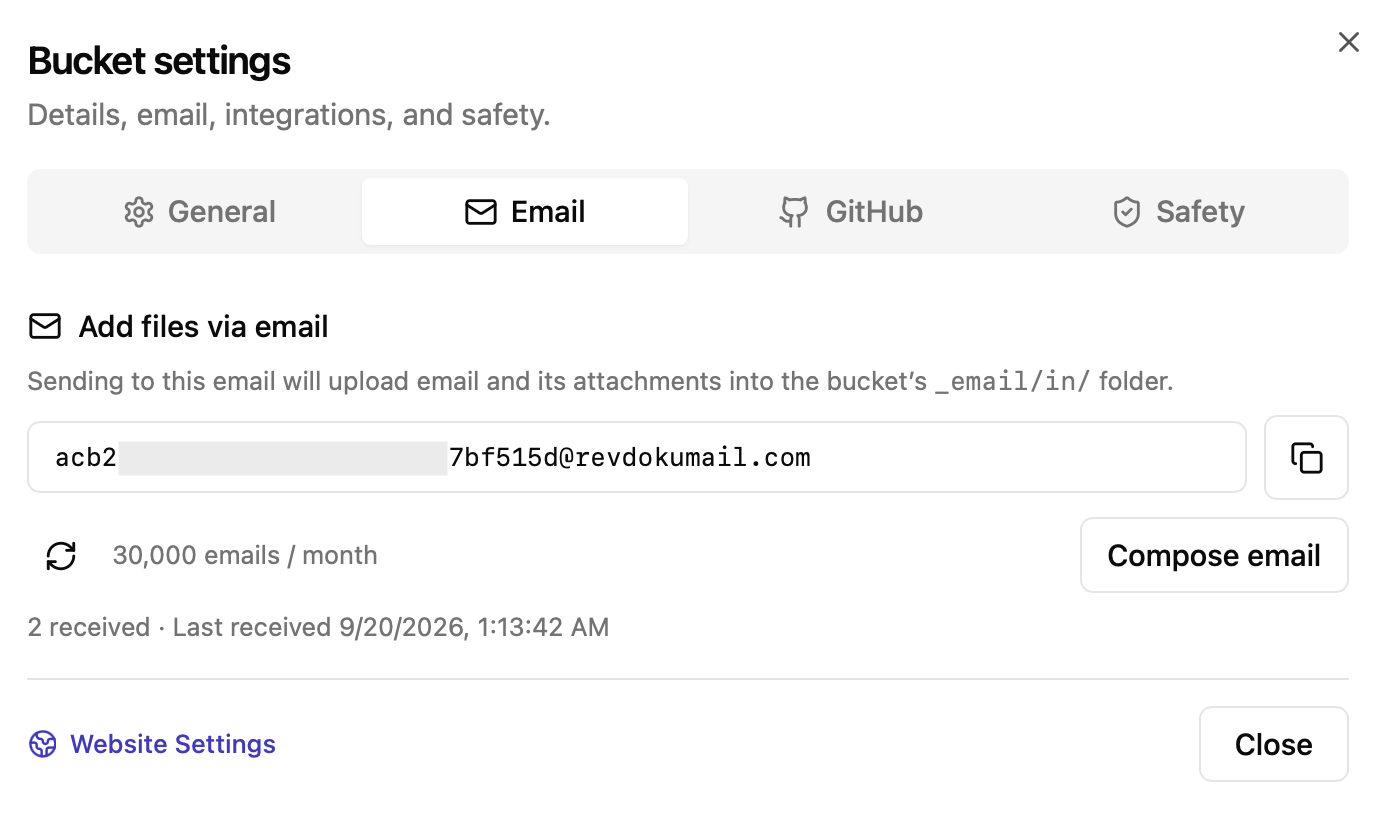
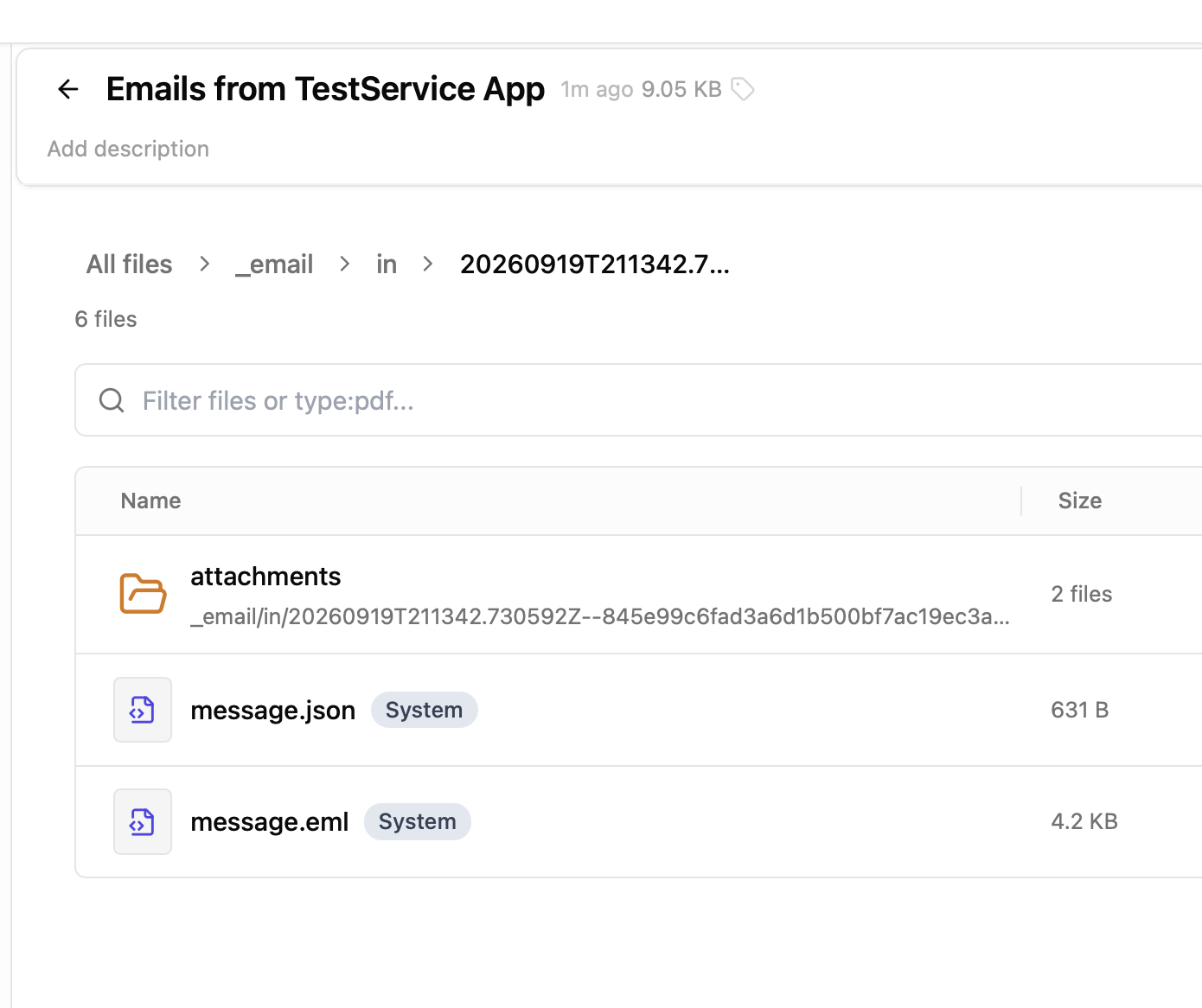
See the email and signup workflow →
Files your agents can work on together.
Store documents, CSVs, research, and project files in private cloud buckets. Your AI agents can upload, read, and update the same files, picking up where another agent left off.
One agent collects leads, another enriches them, and a third reads the results to prepare outreach.
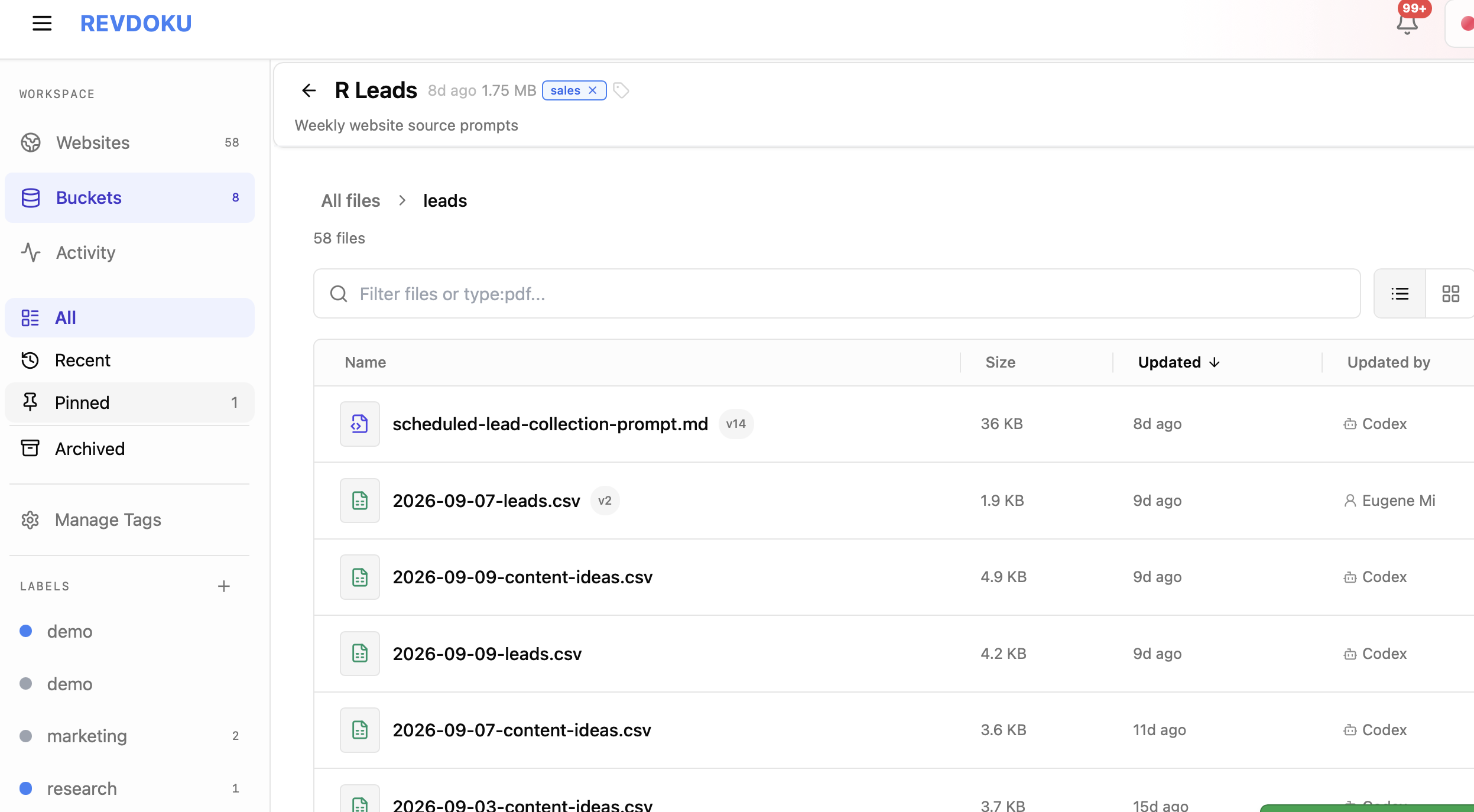
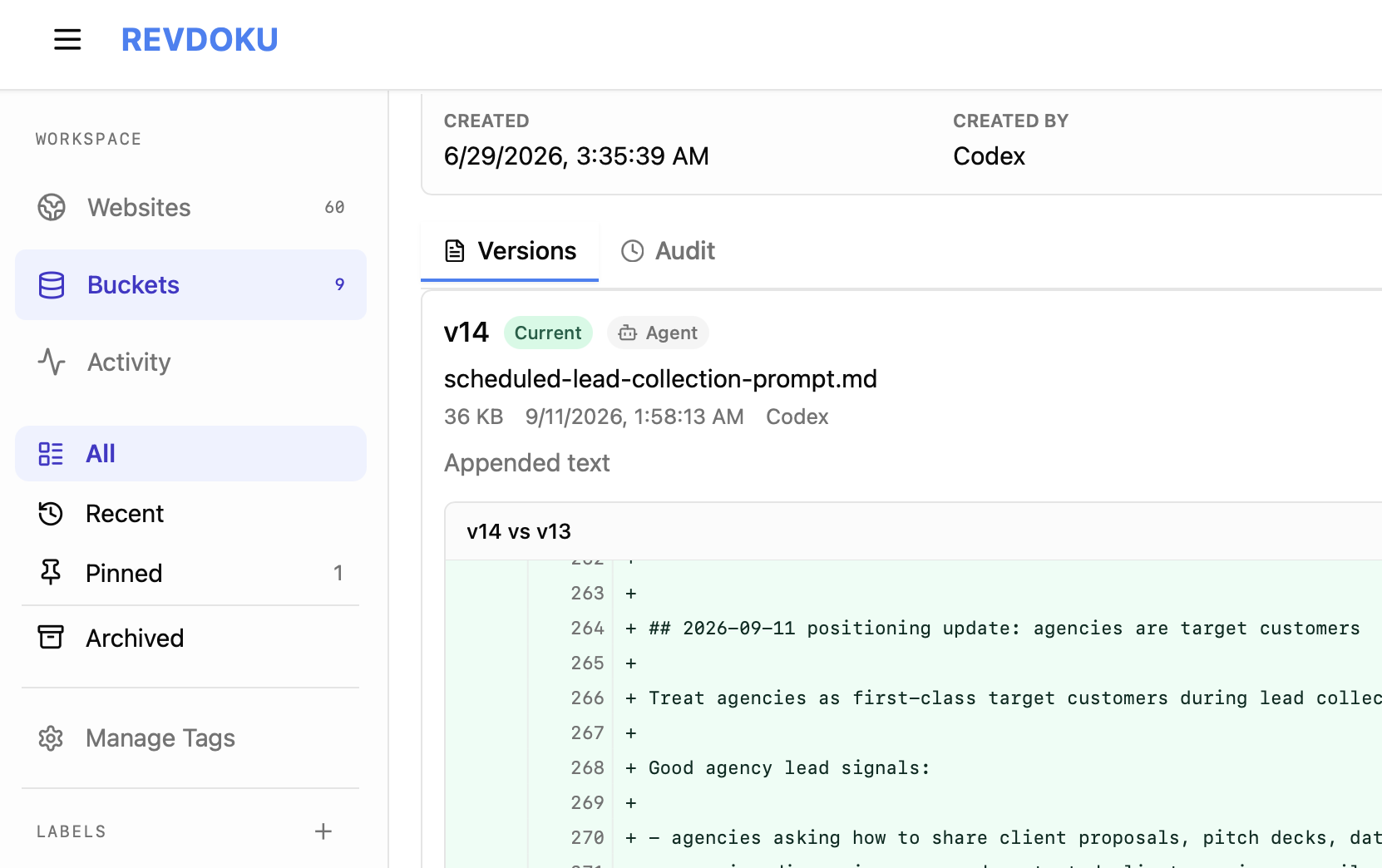
See what changed. Keep agents in sync.
Version history and activity logs show who changed what. Compare file versions and roll back when you need to.
A history of every update
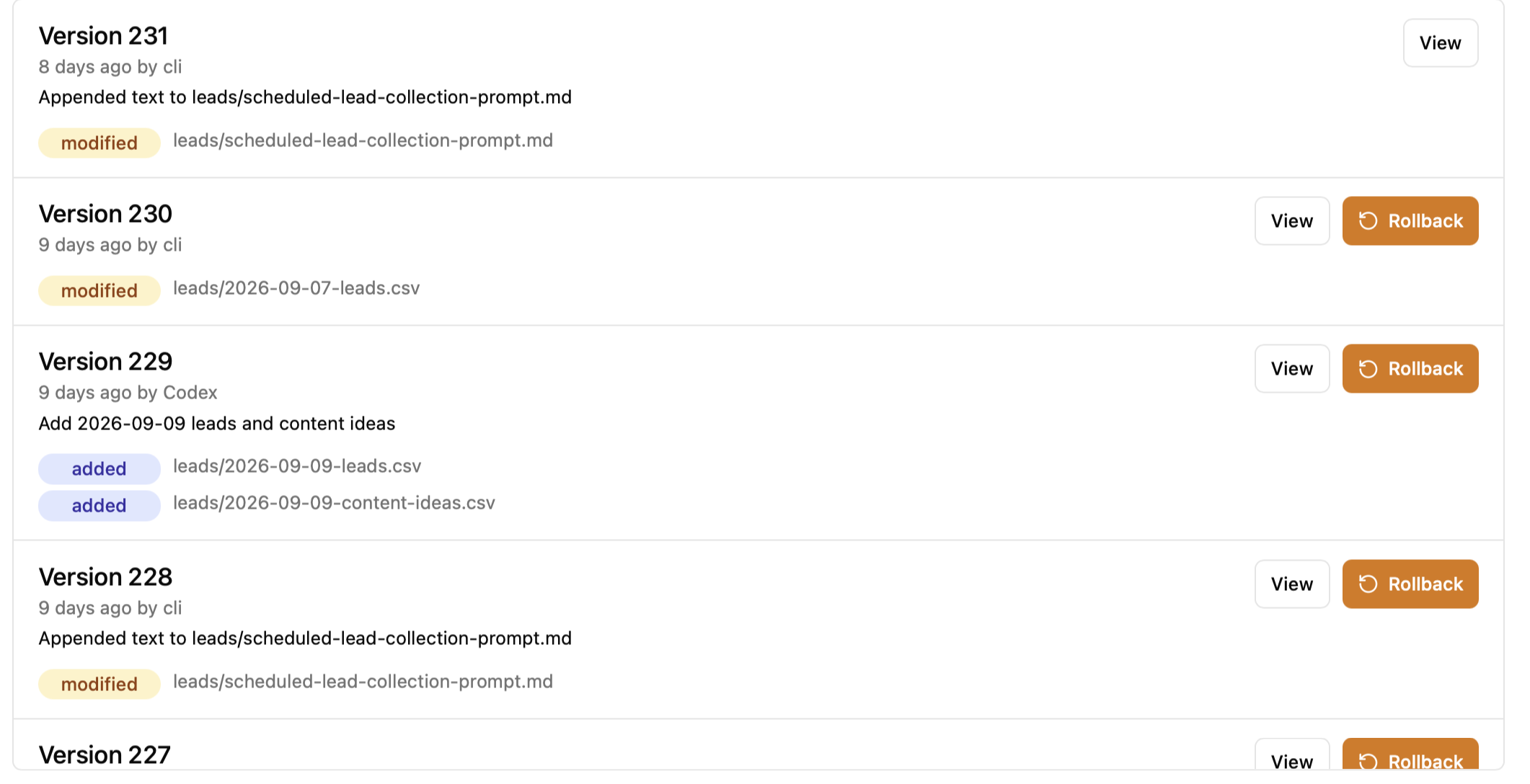
The exact lines that changed
Access for each agent
Choose which AI agents can access a bucket, with read, write, or admin permissions.
Atomic writes & appends
Add text lines or CSV rows without overwriting another agent’s additions.
Temporary locks with messages
Reserve a file or bucket to avoid collisions. Leave a message like “Enriching leads” so other agents know to wait.
Give your agents a shared workflow.
Lead research → review
One agent finds discussion links, another enriches the CSV, and a human or AI agent reviews the leads.
Email → action
Forward a request with attachments. An agent reads the message and files, then prepares the work.
Signups → account updates
An agent reads a signup code, enters it in Chrome, then reads later notifications from the same service.
Research → reports
Researchers save sources and findings. An analyst turns the shared files into a brief.
Invoices → a clean ledger
Agents extract invoice data, check for duplicates, and update a shared CSV.
Creative work across machines
Codex saves thumbnails. Another agent picks them up on another machine, with history and rollback.
Share selected files as a website.
Keep your bucket private and publish the files you choose. Share documents, reports, folders, or an AI-created website, with visitor access controls, feedback, and analytics.

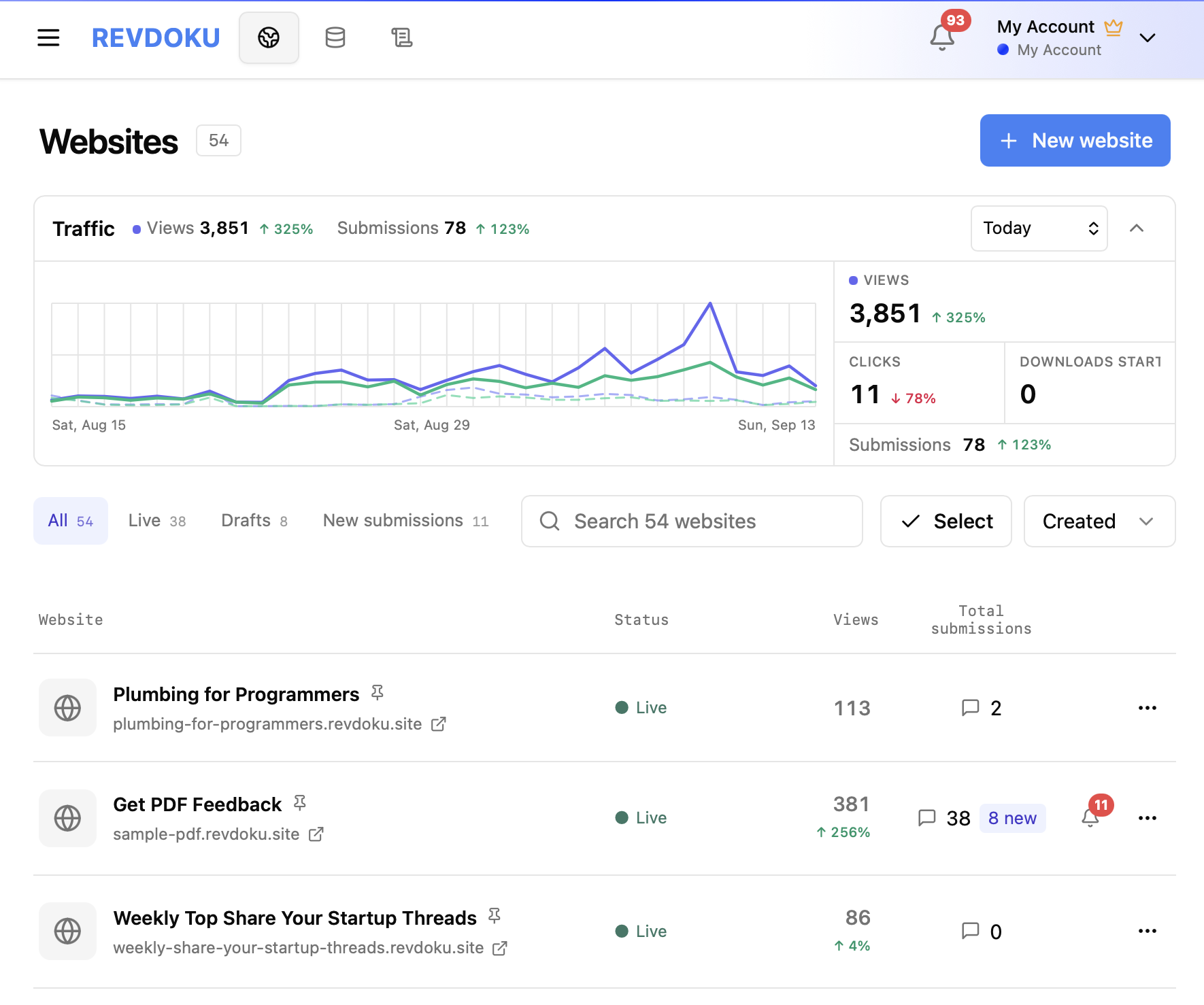
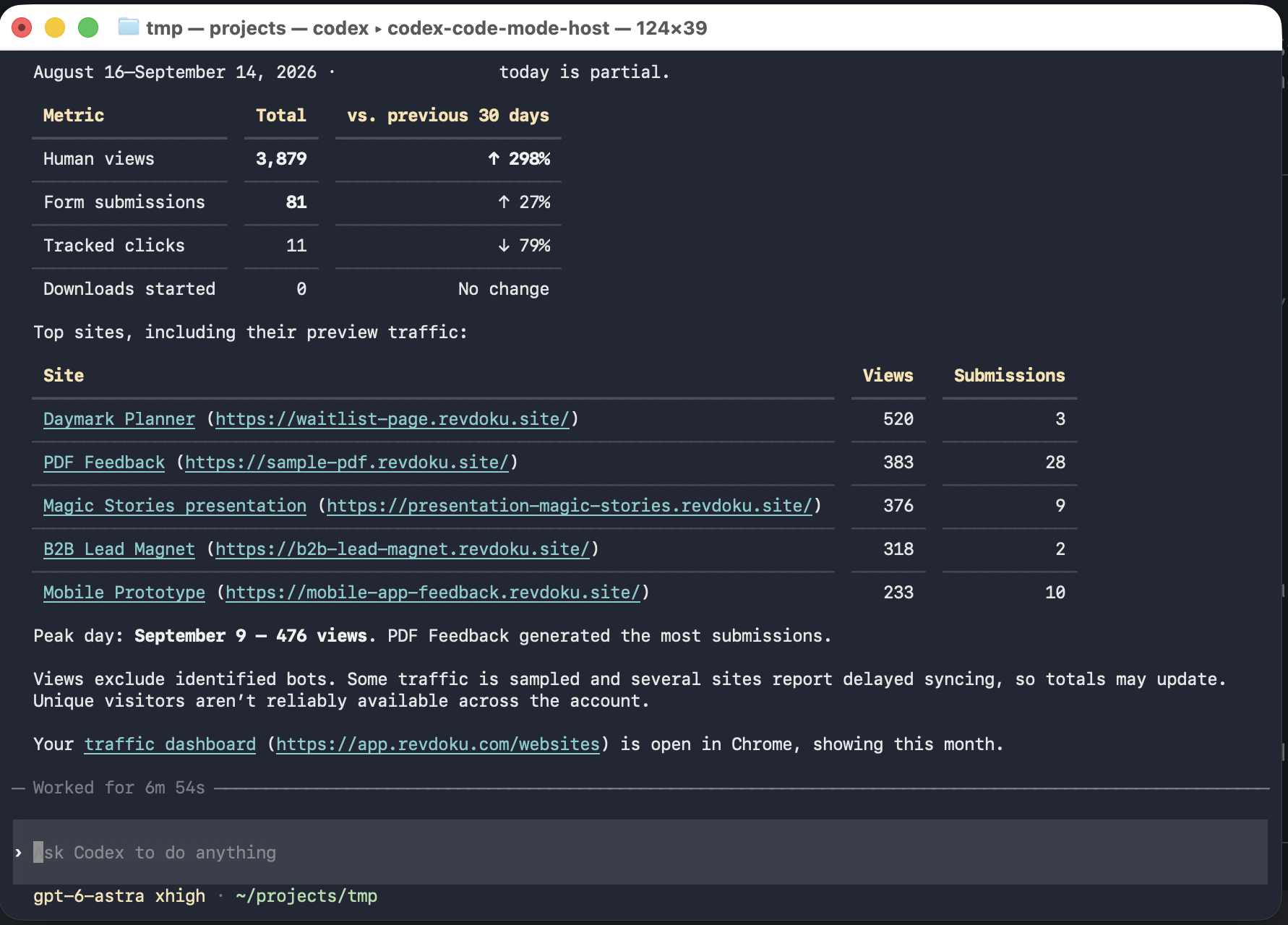
Publish files as a website
Turn your files or AI-created work into a live website, ready to share.
Explore Magic StoriesFrequently Asked Questions
What is Revdoku?
Revdoku is cloud storage for your files and documents, built for AI agents. Agents can upload, read, and update files in private buckets. Each bucket receives emails and attachments at its own address. Keep files private or publish selected files as a website when you choose.
Can a bucket receive emails and attachments?
Every bucket has its own incoming email address. Emails sent to that address are stored in the bucket with their attachments. Authorized AI agents can read the messages as Markdown and access the saved attachments alongside other files. The bucket address is for receiving email.
How do I connect my AI apps and agents?
Use the Connect AI prompt above or follow the connection guide. Claude Code, Codex, ChatGPT, Gemini, Cursor, and other compatible tools can connect through the Revdoku CLI, skill, or MCP server, depending on the app. Authorize each connection to access your account.
Can multiple AI agents collaborate on the same files?
Yes. Authorize each agent and select the same account and bucket within its permissions. For example, one agent can collect leads into a CSV file while another reads it and saves enriched results. Automatic write locks and revision checks help prevent conflicting updates.
Do I have to publish my files as a website?
No. You can use Revdoku only as private cloud storage. Your authorized agents can read and update bucket files without creating a website. If you later publish a selected folder, files outside that folder stay private.
Can I see changes and restore earlier versions?
Yes. Bucket history records file changes and versions, and rollback lets you restore an earlier snapshot. Account logs help you review activity. Website visitor analytics are separate from private-file history.
What kinds of websites can I publish and update?
Publish static websites, interactive browser apps, portfolios, dashboards, reports, games, or browsable folders of files. Your AI can update the files and republish to the same URL. Revdoku provides built-in forms and visitor access controls; custom server code and databases need a separate backend.
Where can I see workflows and website examples?
Browse Cases for AI agent workflows and published website examples. Each website case keeps its short description and a link to the live site. Use the homepage’s Use prompt buttons to start a similar project with your AI.
Can I control who visits a published website?
Yes. A published website can be public, password-protected, or require a verified email, depending on your plan. These visitor settings are separate from access to private bucket files. See Pricing for available options.
How do feedback, forms, and analytics work?
Revdoku’s built-in forms and feedback widget save visitor submissions and email the owner. Visitors can leave comments on selected text or areas, including files in supported viewers. Website analytics show activity such as views, clicks, and submissions. Availability and retention depend on your plan.
Is there a free plan?
Yes. Revdoku has a Free plan with no credit card required. See Pricing for current storage, publishing, access, and other plan limits.
Can my agency manage multiple clients?
Yes. Create and maintain client accounts, then switch between them to manage websites, files, access, and security. Learn more about Revdoku for agencies.