Customize a Revdoku Website URL, Custom Domain, and Auto-Index Page
Use website settings to copy your live URL, connect a custom domain, manage tracking, and customize the index page for your files.
1. Start from a live bucket
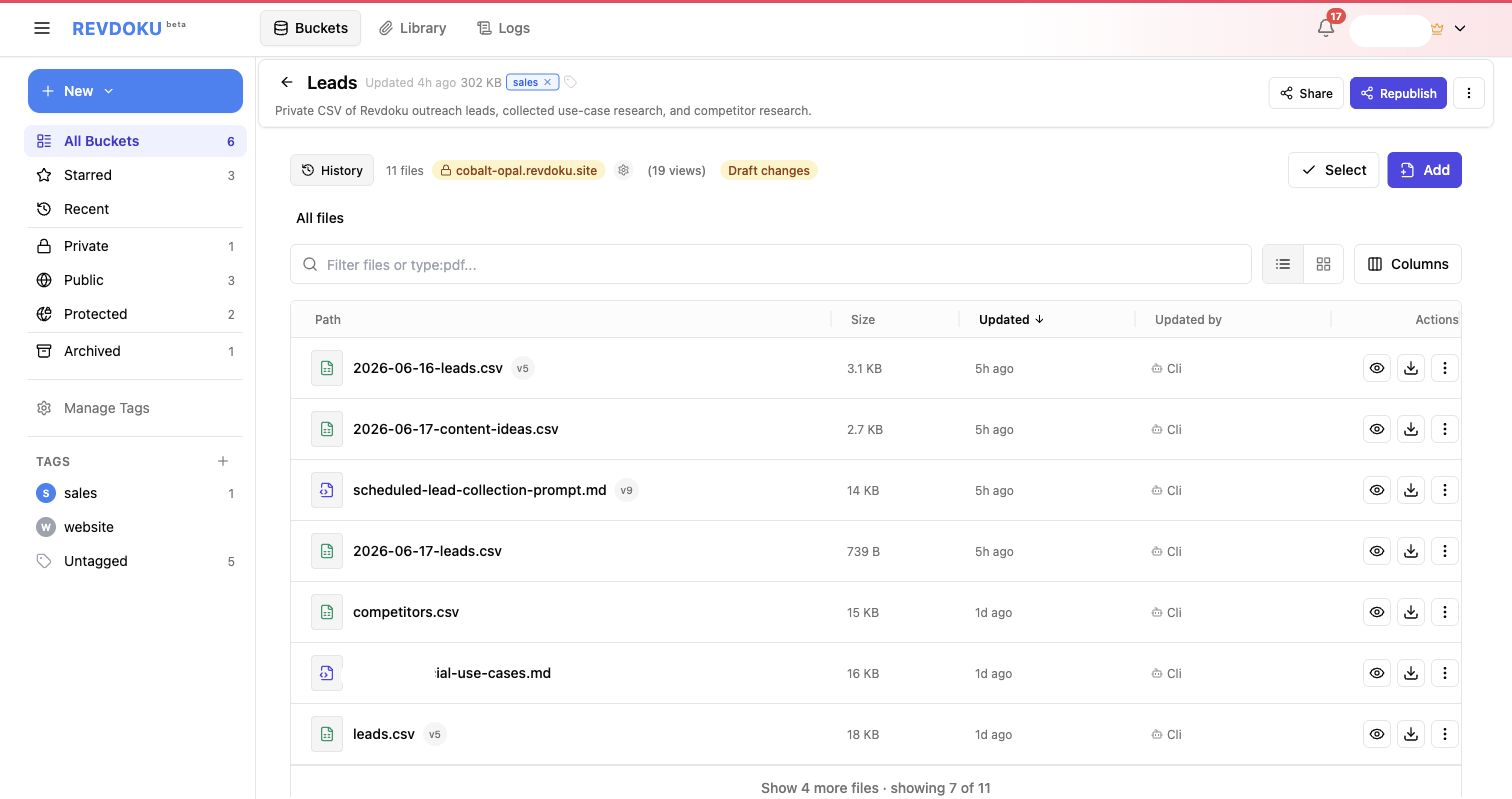
When a bucket is published, the header shows the live site state and the current Revdoku site URL. Open Website and publishing settings to manage the site.
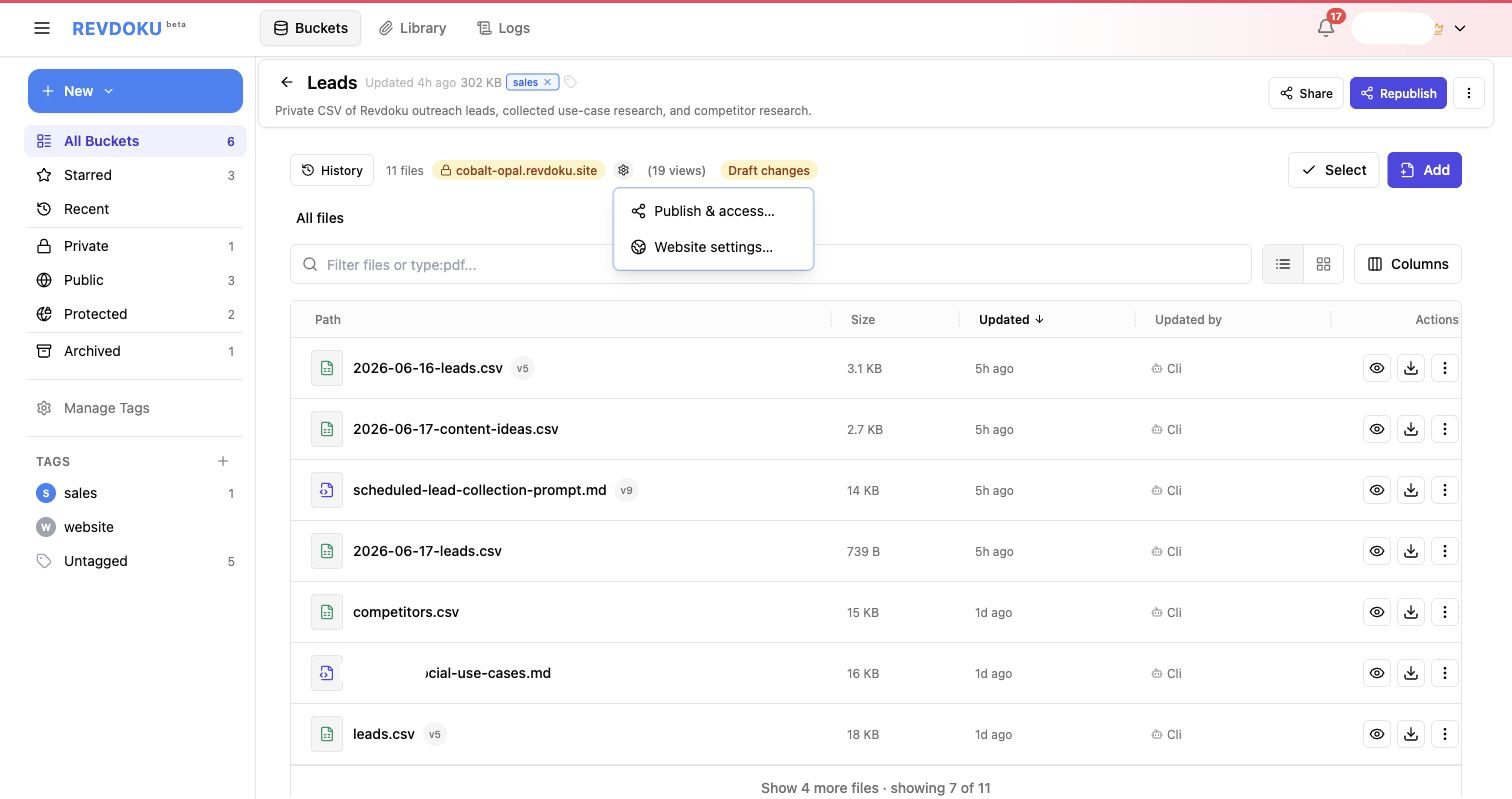
2. Open website settings
The settings menu separates publishing and access controls from website configuration. Use Website settings… for the URL, domain, tracking, password gate, Auto-Index Page, database, and miscellaneous options.
3. Review the Website URL tab
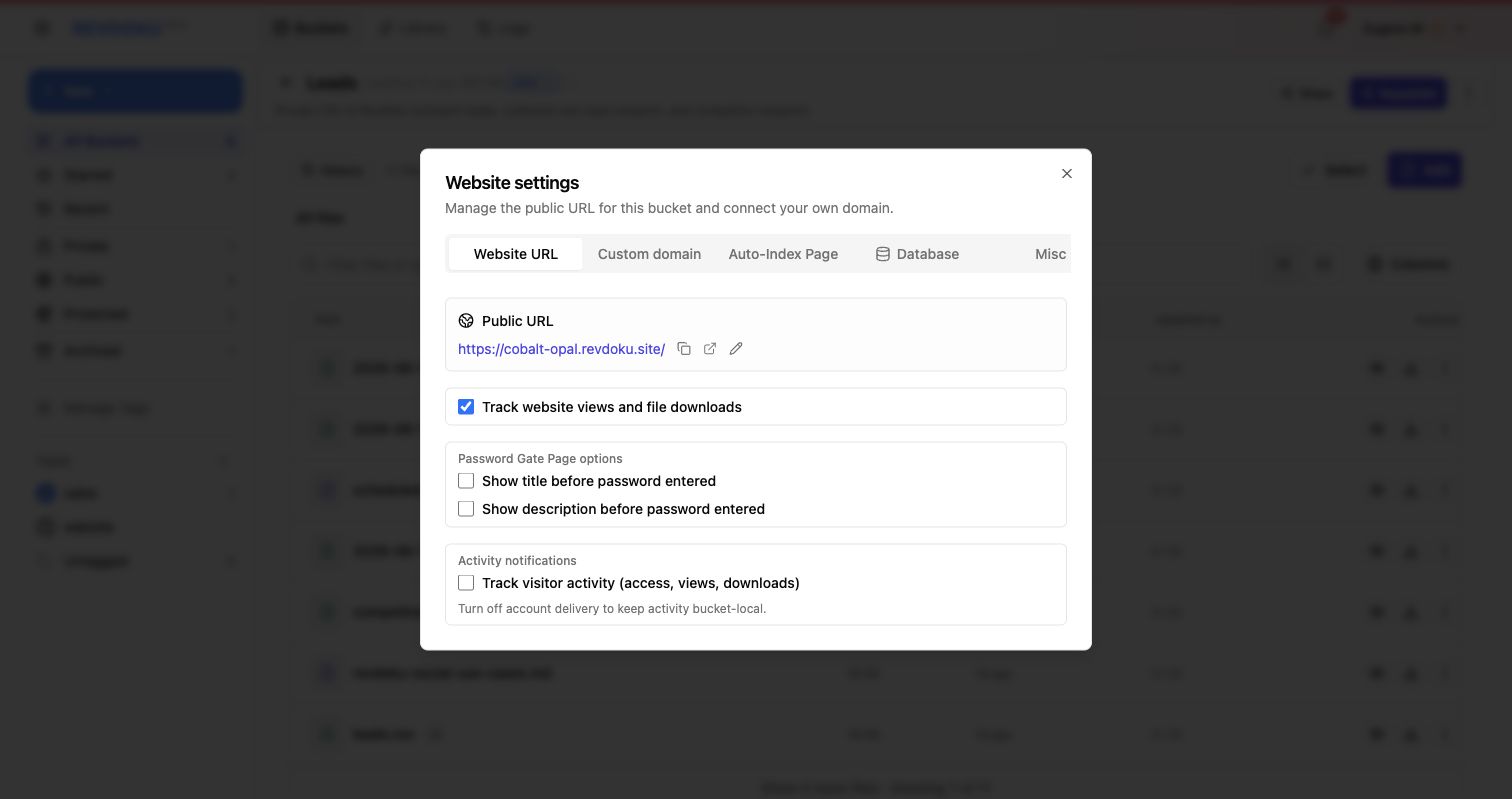
The Website URL tab shows the public URL, copy and open actions, view tracking, password gate page options, and visitor activity tracking. This is the home base for general website settings.
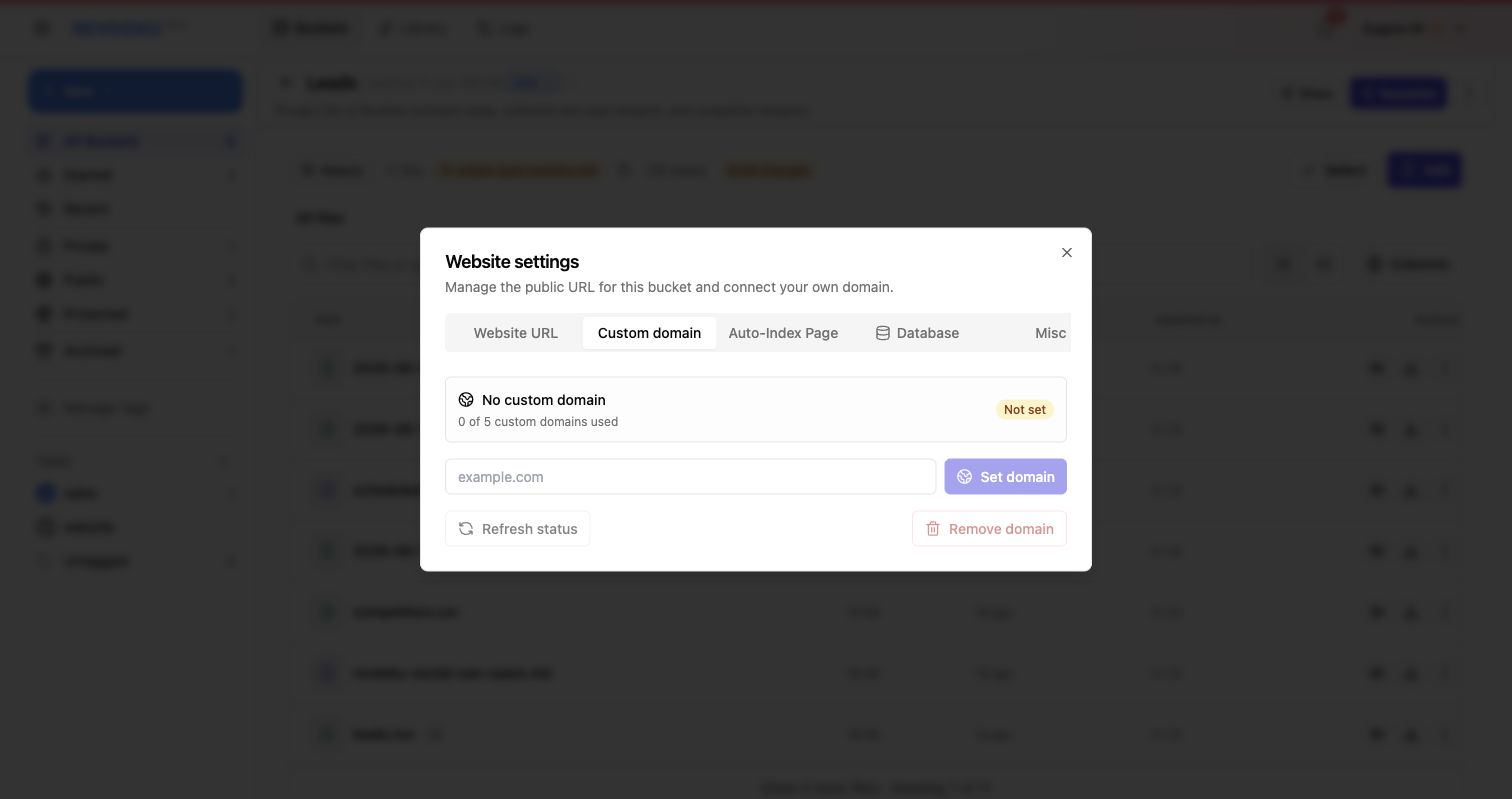
4. Connect a custom domain
Use the Custom domain tab when you want the Revdoku site to live on a branded domain instead of the default localhost3000.love address. Its revdoku.site alias remains available.
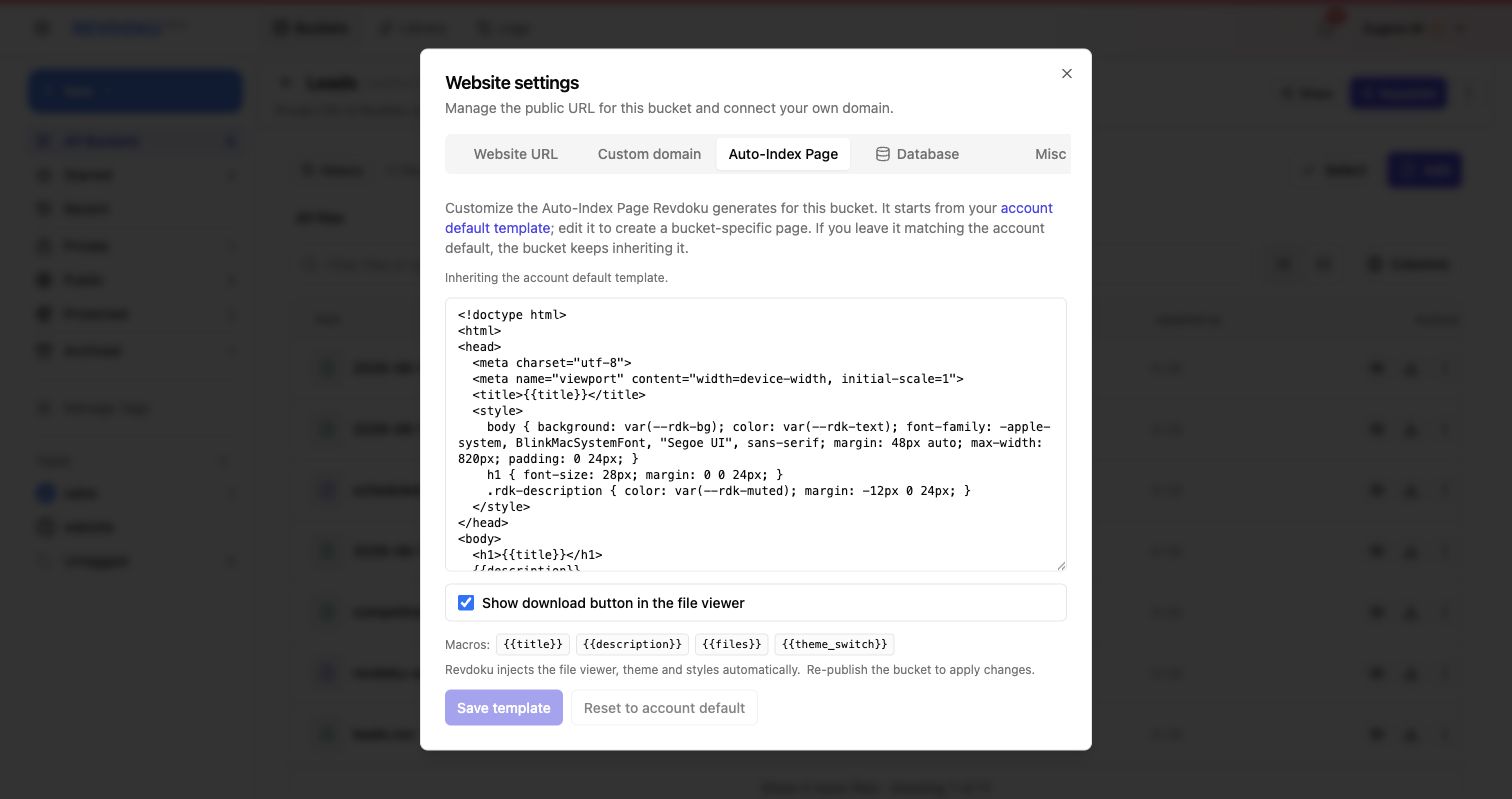
5. Customize the Auto-Index Page
Use the Auto-Index Page tab to adjust the generated index page Revdoku creates for file-based buckets. The template supports macros such as {{title}}, {{description}}, {{files}}, and {{theme_switch}}.
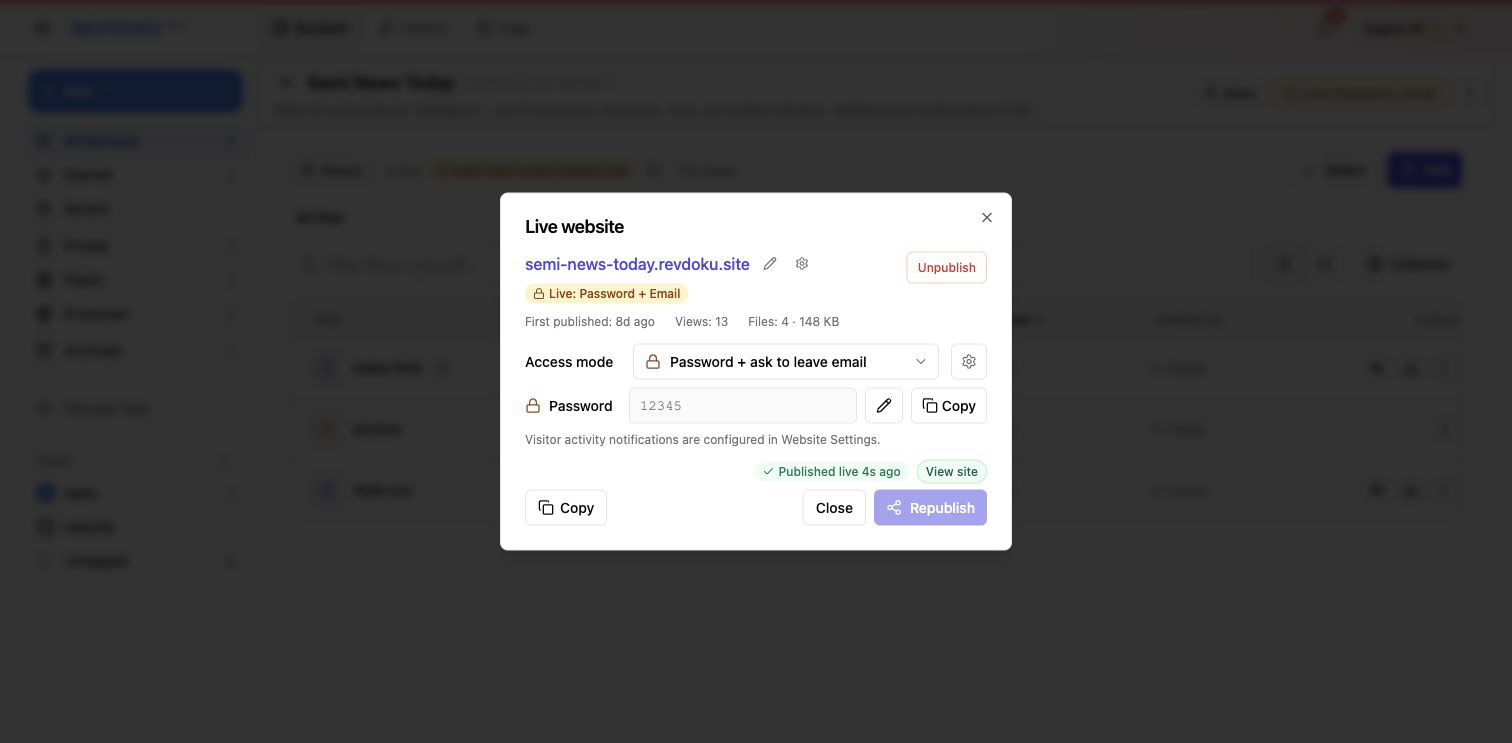
6. Republish after changes
Apply template and website setting changes by republishing the live site. The live publish dialog is also where you confirm the current URL, access mode, view count, and publish status.
From a folder of files to a controlled website
Keep the default Revdoku URL or connect your own domain. Customize the file index, choose access settings, and republish when the site is ready. Create a free Revdoku account to try it.
Just ask to “publish to Revdoku” to publish your as a fast and secure website
from your Codex, Claude or another AI apppublish files or folders
Paste this into your AI app.
Install the Revdoku skill in your AI app.
npx skills add revdoku/revdoku --skill revdoku -gChoose your AI app to connect through MCP.
codex mcp add revdoku --url https://app.revdoku.com/mcp
codex mcp login revdoku
claude mcp add --transport http revdoku https://app.revdoku.com/mcp
claude mcp login revdoku
https://app.revdoku.com/mcpFree · Public or protected · Visitor analytics · Forms and email alerts Building websites for clients? Explore Revdoku for agencies