Claude Fable Demo to Live Website Workflow
Important status note: as of June 12, 2026, Fable access was suspended, and access will hopefully be restored. Treat this article as a prepared workflow for when access is available again, not a currently verified active Fable workflow.
A live website created from a Claude Fable demo points to a real shift: AI tools can generate impressive interactive web experiences from a prompt, but the demo is not the end of the workflow. A generated site still needs review, access control, and repeatable updates at the same URL.
TL;DR: a workflow for turning an AI demo into a live site needs publishing, review, repeatable updates, and a home outside the chat session.
Generating a Fable website is not the same as publishing it
Claude may produce a beautiful browser preview, but publishing a Claude-generated website still requires a shareable, stable, owner-controlled site.
Before sharing, ask:
- Where are the files?
- Are the assets included?
- Can the site run outside the agent session?
- Is the content ready for public viewing?
- What URL should stakeholders use tomorrow?
- How will the next edit update the same site?
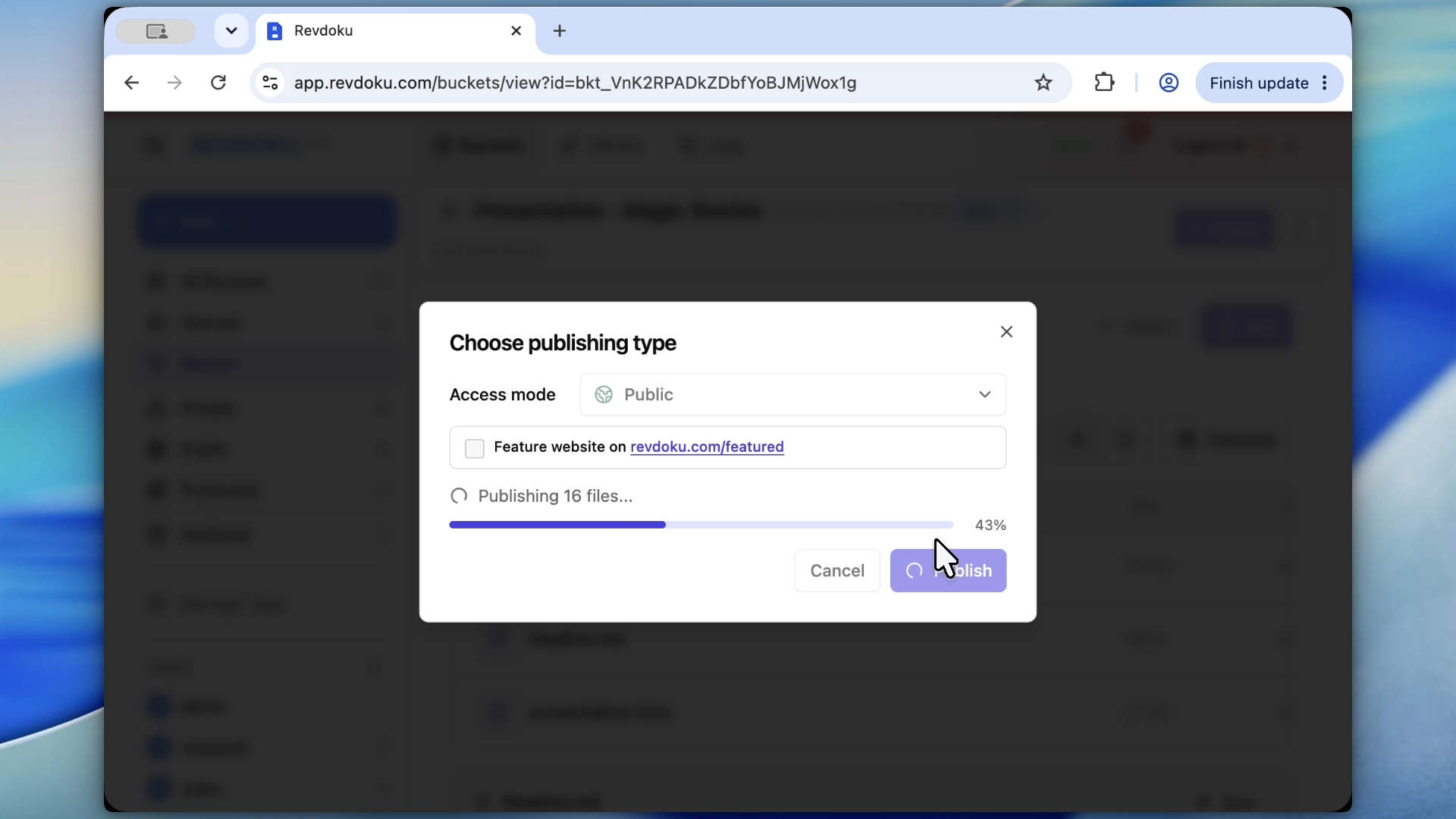
Note: Revdoku is the publishing step after generation, not the generator, for teams publishing Fable website output.
Use Revdoku to publish Fable output after generation
Publishing Fable output with Revdoku comes after the AI generation step. Once the agent creates the site folder, publish it to Revdoku.
The workflow is:
- Generate the interactive site.
- Export or locate the complete folder.
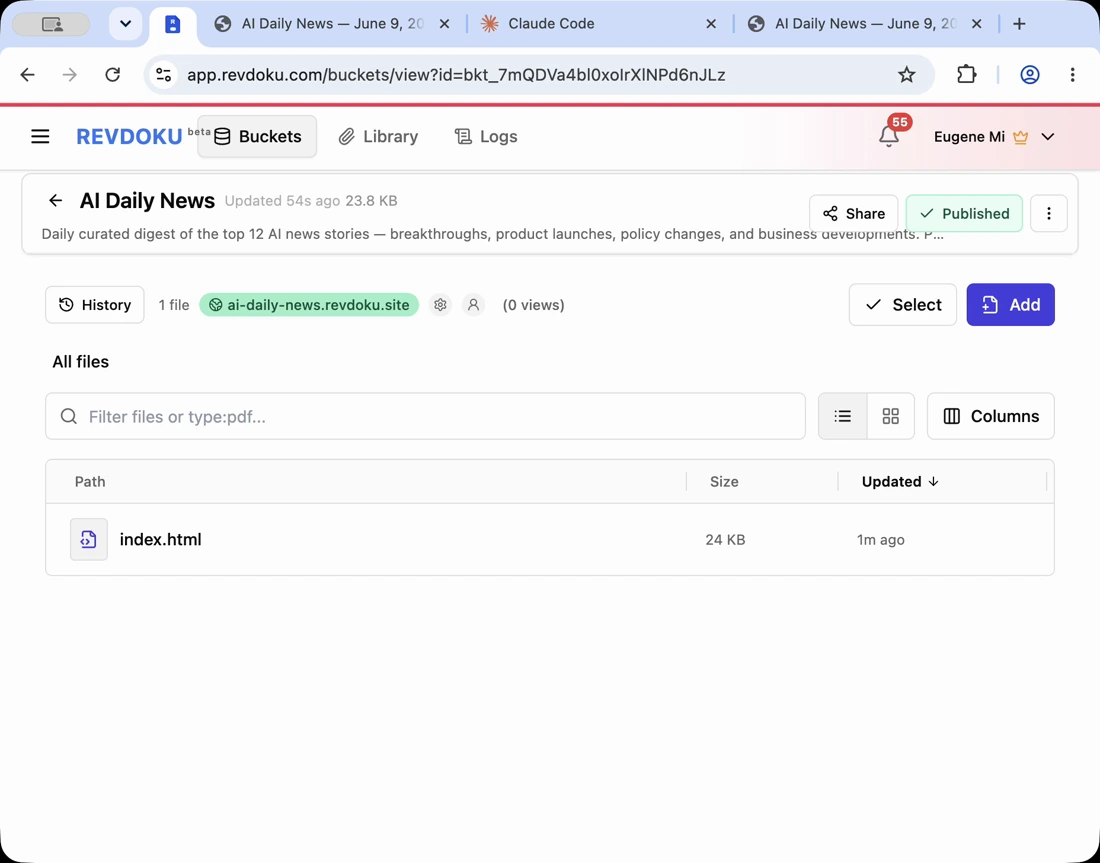
- Upload or publish the folder to Revdoku.
- Open the Revdoku URL.
- Review the live site.
- Keep the same bucket for future updates.
This keeps publishing a Claude-generated website independent of the generating agent.
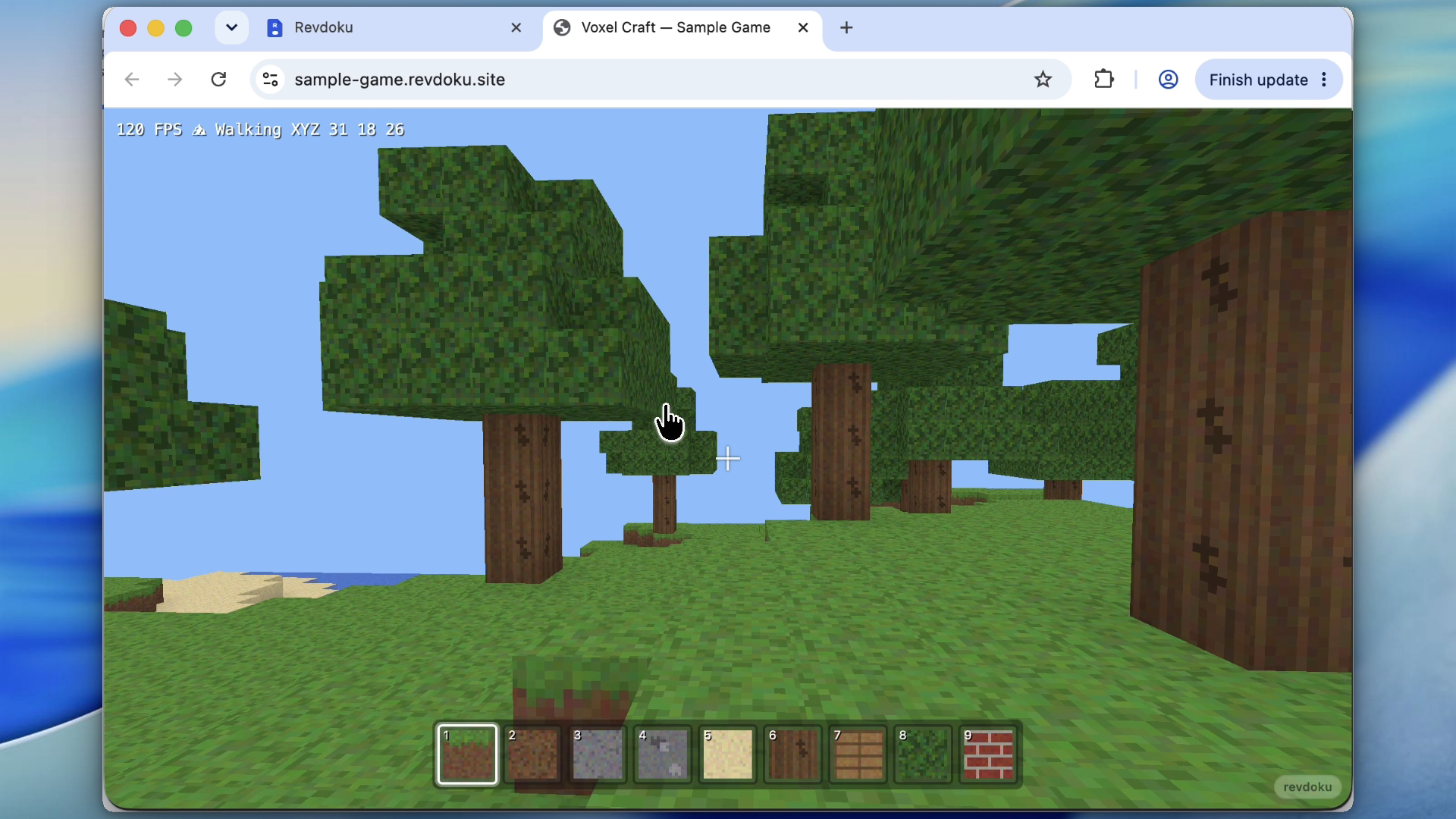
Note: a live Revdoku URL turns the AI demo into a live site reviewers can use.
Keep the same URL after the next Claude Fable edit
AI demos evolve quickly: a clearer intro, different copy, or a new exercise. The next prompt should update the existing live demo site, not create a new link.
Use the Revdoku bucket as the stable destination for the live Claude Fable demo website. Update the files, republish to the same bucket, and reuse the same site.
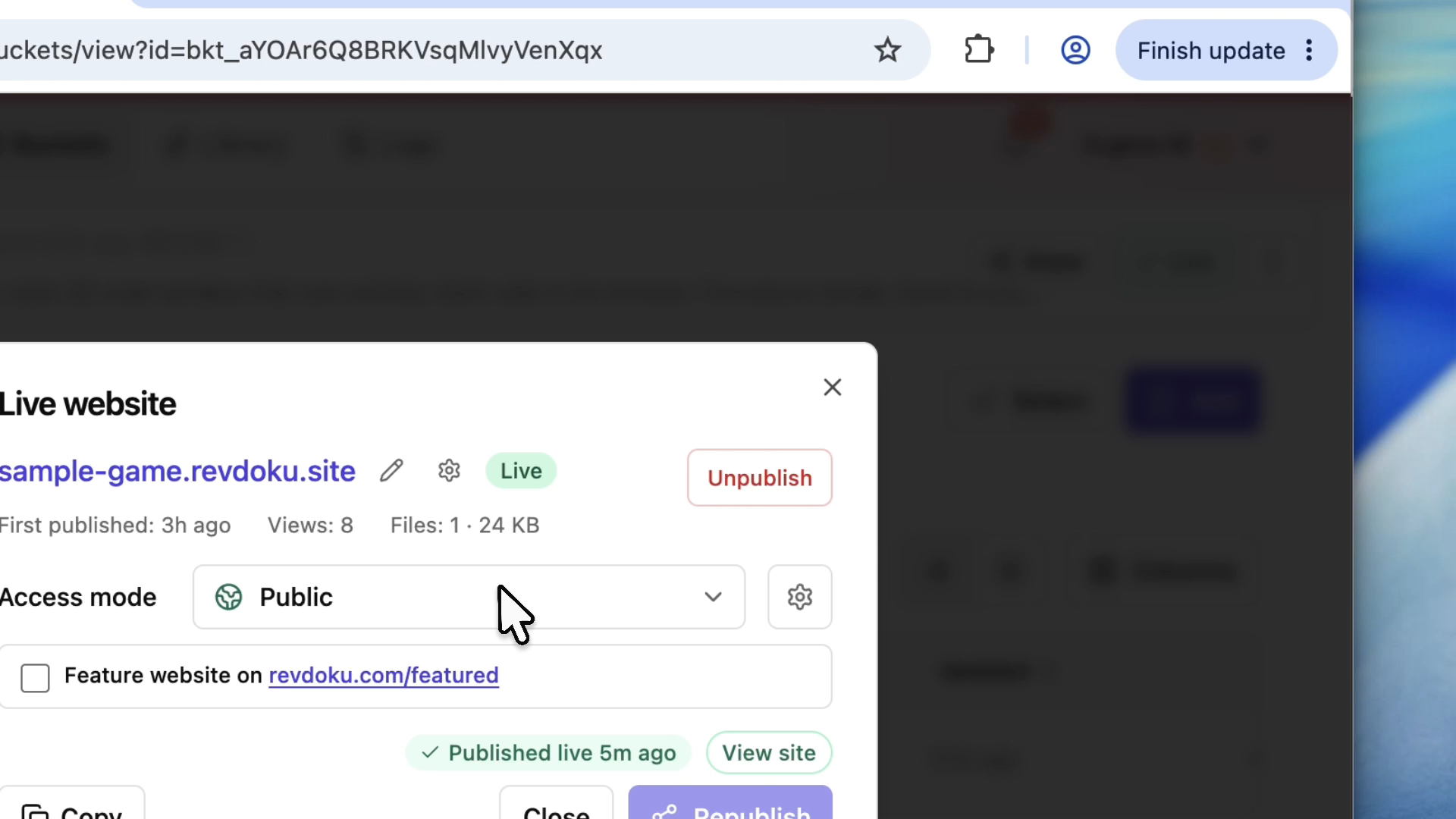
Note: protect generated demos until facts, layout, and interactions have been checked.
Review the Fable website before public launch
Interactive generated sites need a serious check:
- Test desktop and mobile.
- Click every control.
- Check asset loading.
- Verify facts, numbers, and citations.
- Remove secrets and private data.
- Decide whether the site should be public or password-protected.
Use password protection during review. Use Require Email to see which reviewers opened it.
Require Email verifies an emailed one-time code without a shared site password. It requires a paid plan for a permanent website; Free accounts can try it in a temporary preview.
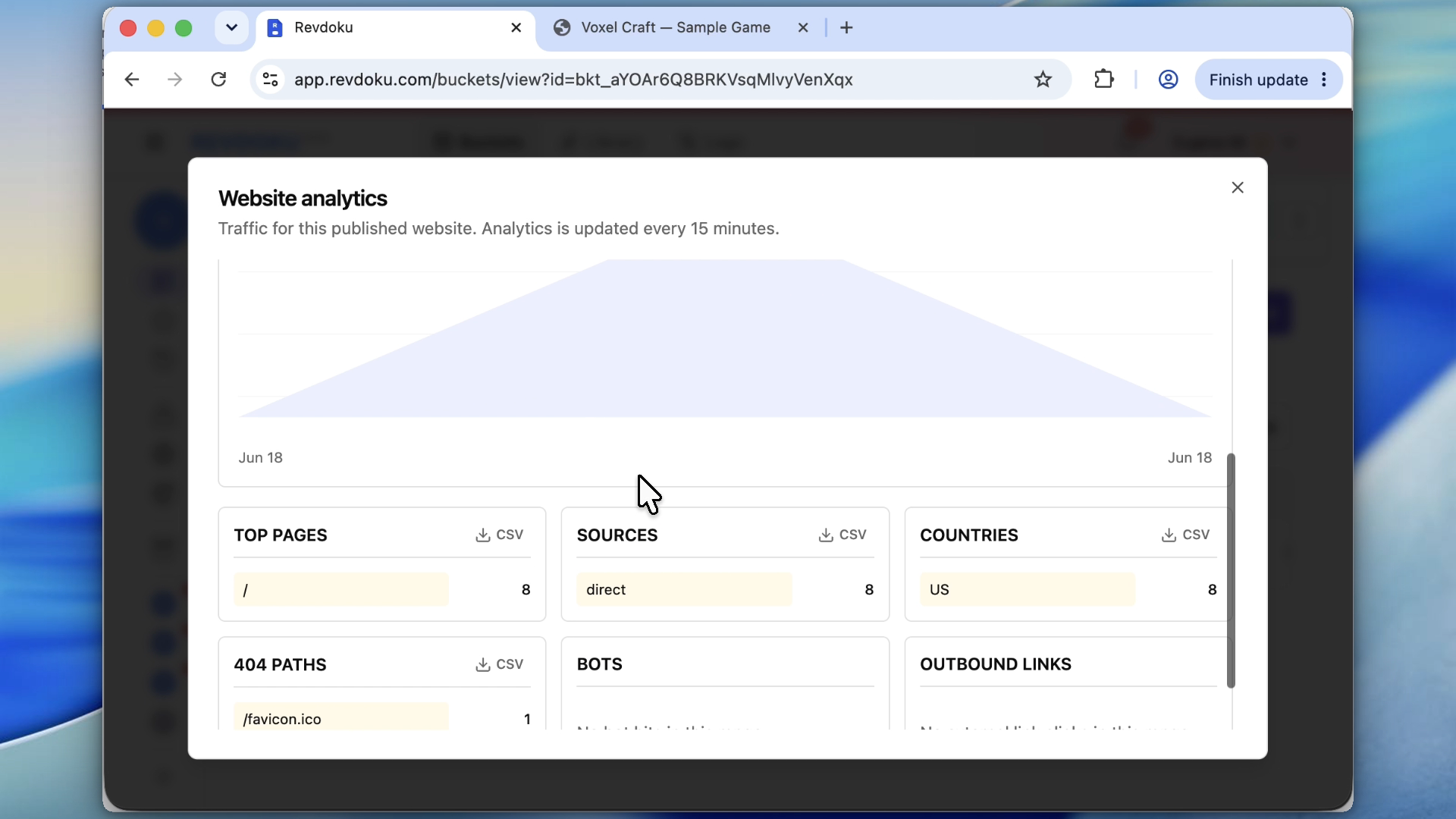
Note: after sharing, analytics show whether the demo is being reviewed.
Fable-style demos show what generation can do; publishing Fable output with Revdoku turns the demo into a durable site. Revdoku handles the next step: storing files, publishing a stable URL, protecting review access, and keeping the site updatable when Claude, Codex, ChatGPT, or another agent changes it.
Just ask to “publish to Revdoku” to publish your as a fast and secure website
from your Codex, Claude or another AI apppublish files or folders
Paste this into your AI app.
Install the Revdoku skill in your AI app.
npx skills add revdoku/revdoku --skill revdoku -gChoose your AI app to connect through MCP.
codex mcp add revdoku --url https://app.revdoku.com/mcp
codex mcp login revdoku
claude mcp add --transport http revdoku https://app.revdoku.com/mcp
claude mcp login revdoku
https://app.revdoku.com/mcpFree · Public or protected · Visitor analytics · Forms and email alerts Building websites for clients? Explore Revdoku for agencies
Frequently Asked Questions
Can a Claude Fable demo be treated as a finished website?
Not by itself. The generated preview still needs to be exported, hosted, reviewed, and controlled by the site owner before it should be shared as a live website.
What should I check before publishing a generated Fable site?
Confirm that the full site folder is available, including images, scripts, styles, and any supporting files. Then test the site outside the generation session to make sure it still works in a normal browser.
Why use the same Revdoku bucket for future edits?
Using the same bucket keeps the public or review URL stable. Stakeholders can return to one link while the underlying files are updated as the demo improves.
Should generated demos be password-protected?
Yes, especially before public launch. Password protection gives reviewers access while reducing the risk of unfinished copy, broken interactions, private data, or inaccurate claims being seen publicly.
How do I know whether reviewers actually opened the demo?
Use review access settings and analytics where available. Require Email access can help identify which reviewers visited, while analytics can show whether the shared link is getting attention.
What kinds of problems are common in AI-generated interactive sites?
Common issues include missing assets, controls that do not work on mobile, placeholder text, incorrect facts, and layouts that break at smaller screen sizes. A generated site should be tested like any other web project before release.
What should teams do while Fable access is unavailable?
Treat the workflow as preparation for when access returns. Teams can still define their publishing, review, protection, and update process so generated site folders are handled consistently once they are available again.