Publish an AI-generated game with a protected review link
Table of Contents
AI coding tools can create small browser games quickly. The result is usually a folder with index.html, scripts, styles, images, sprites, sounds, and notes.
If the game is not ready for a public launch, do not rush it into a full deployment pipeline. Publish a protected review link first.
What you need
Start with a game folder:
ai-game/
  index.html
  style.css
  game.js
  assets/
    player.png
    enemy.png
    soundtrack.mp3
  README.md
The game should run in a browser without private API keys or local-only paths.
1. Ask the AI tool to prepare a review build
Use a prompt like:
Prepare this browser game for review.

Make sure:
- index.html is the entry point
- assets use relative paths
- the game works without external secrets
- keyboard and mobile controls are documented
- README.md explains how to test it
- known bugs are listed
- any placeholder art or generated assets are clearly named
If the project uses a build step, ask the AI tool which folder contains the static output.
2. Test the game locally
Before sharing:
- Open the homepage.
- Start the game.
- Test keyboard controls.
- Test pointer or touch controls if mobile matters.
- Confirm assets load.
- Confirm audio autoplay behaves as expected.
- Try a small mobile viewport.
- Check for console errors.
- Remove private notes or secrets.
Do not publish a folder that contains .env, API tokens, private data, or unrelated source files.
3. Add review instructions
Create README.md:
# AI game review

Please test:
- first load
- start screen
- keyboard controls
- mobile/touch controls
- scoring
- restart behavior
- sound toggle
- level difficulty

Known issues:
- placeholder enemy art
- no pause menu yet
This turns the link into a useful QA packet instead of a random demo.
4. Upload the game folder to Revdoku
In Revdoku:
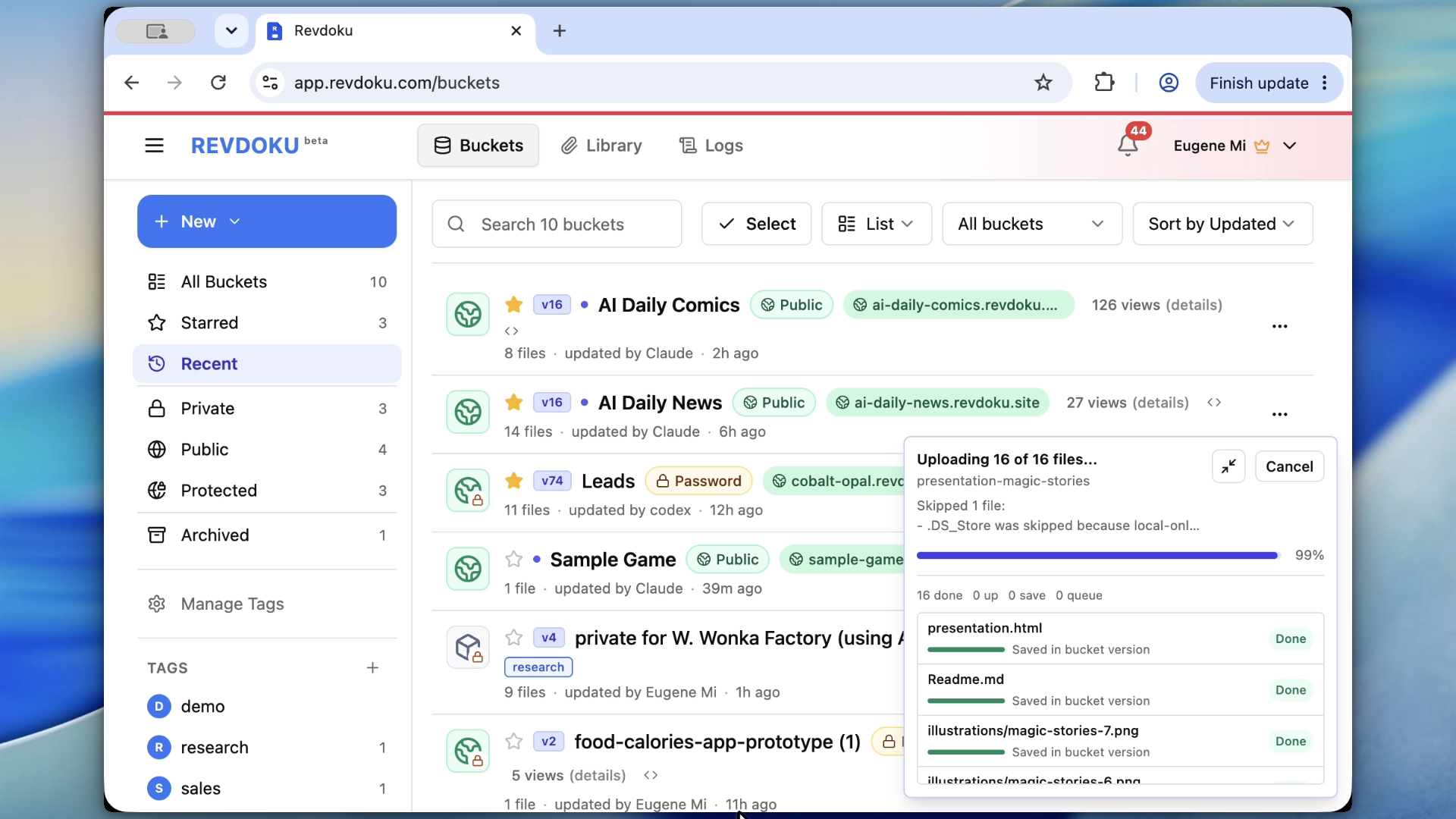
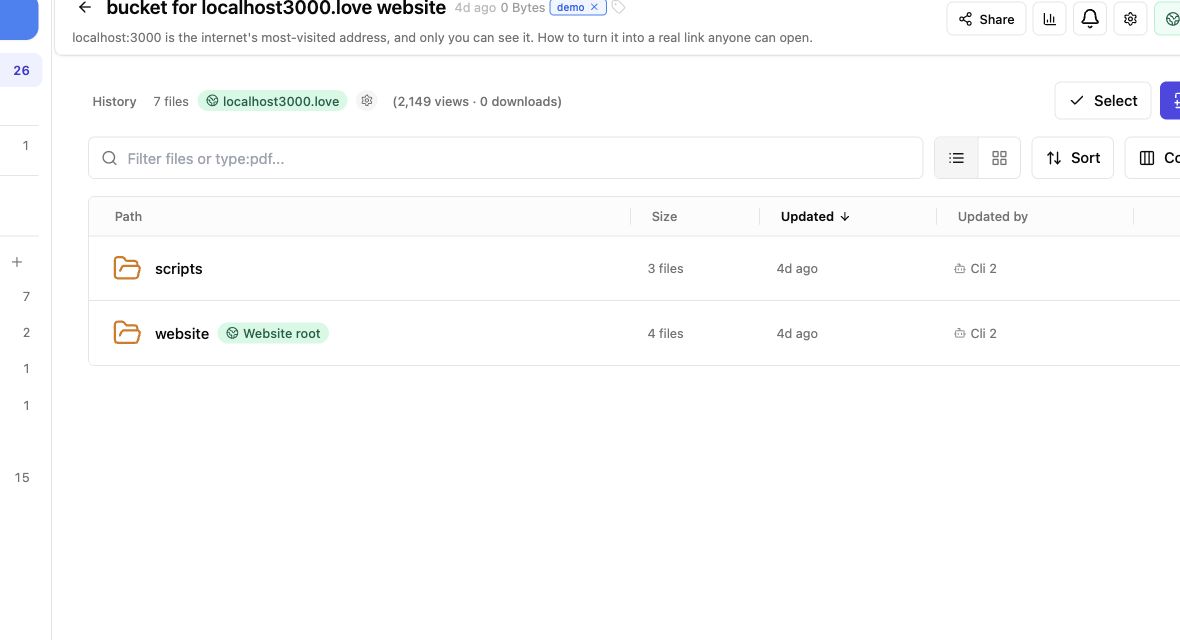
- Upload the game folder.
- Confirm
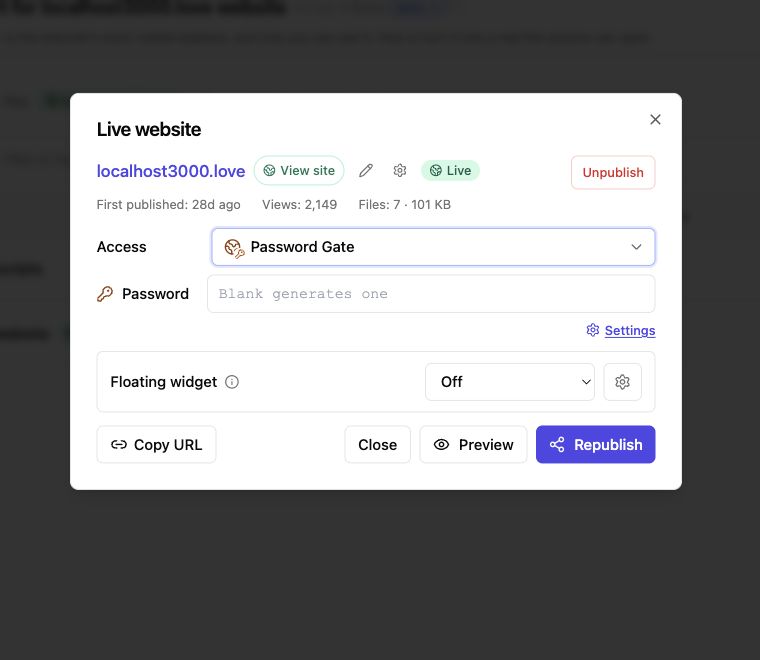
index.htmlis present. - Publish the bucket as a website.
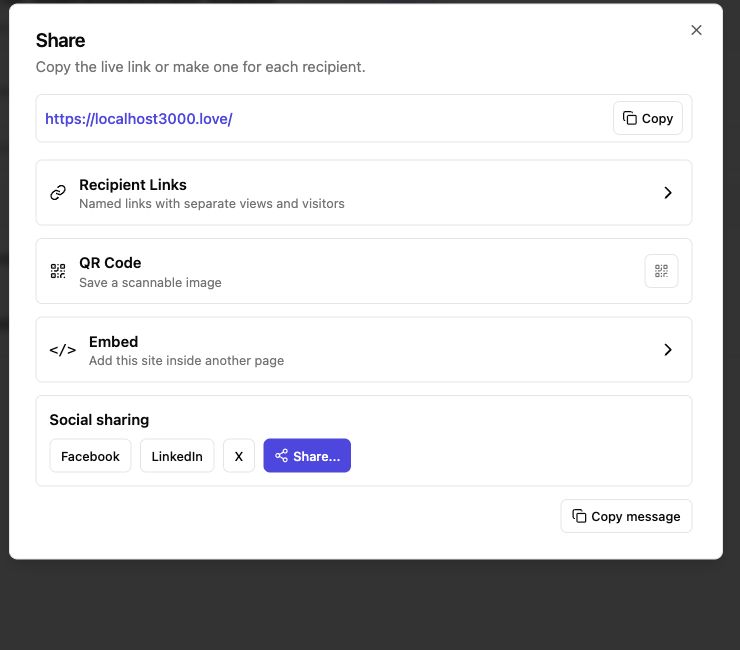
- Open the live URL and play the game.
- Check supporting files such as
README.md.
5. Protect the review link
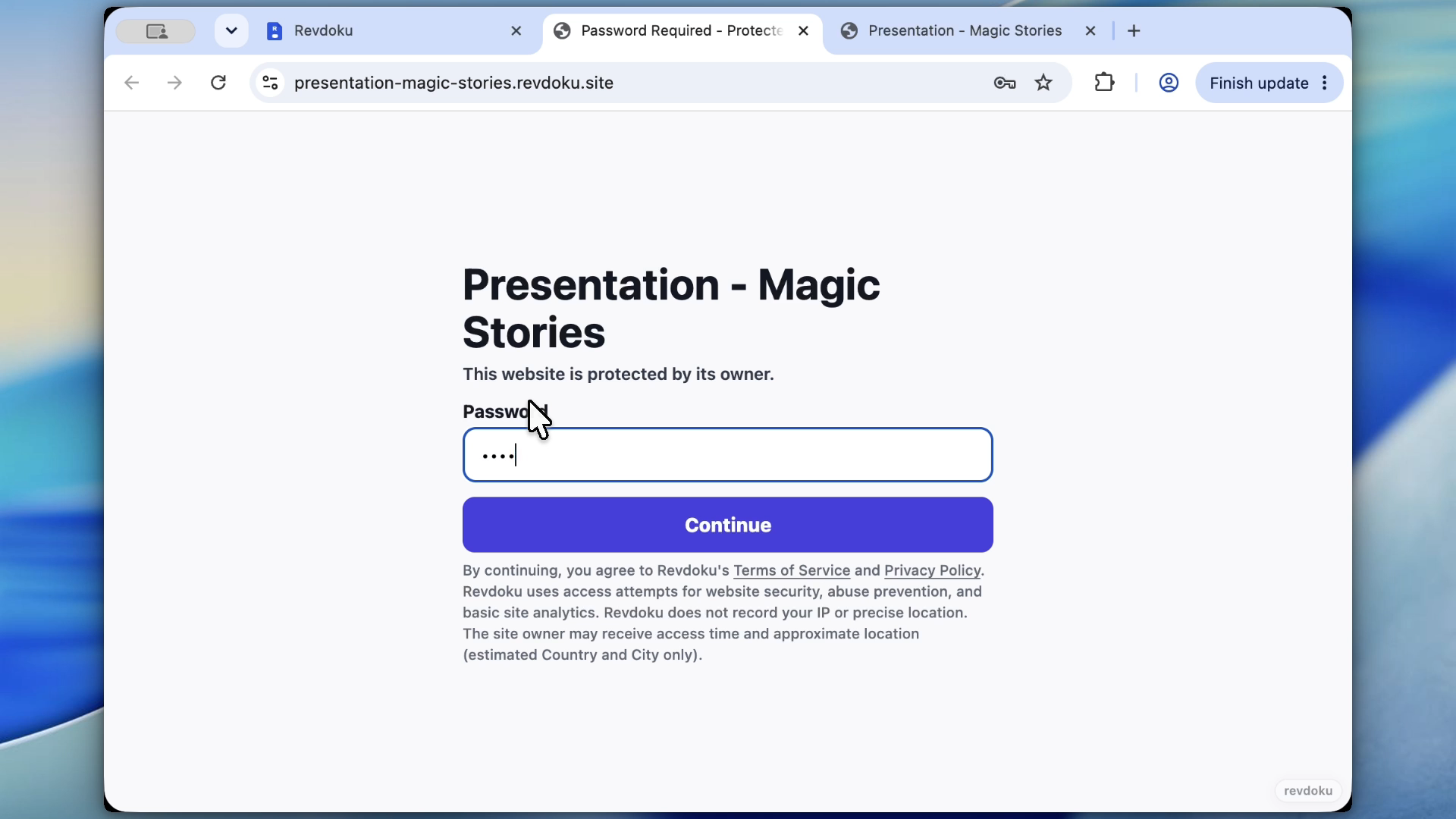
Use password access when:
- The game is unfinished.
- The assets are not final.
- The idea is private.
- You only want invited testers.
- You need feedback before public release.
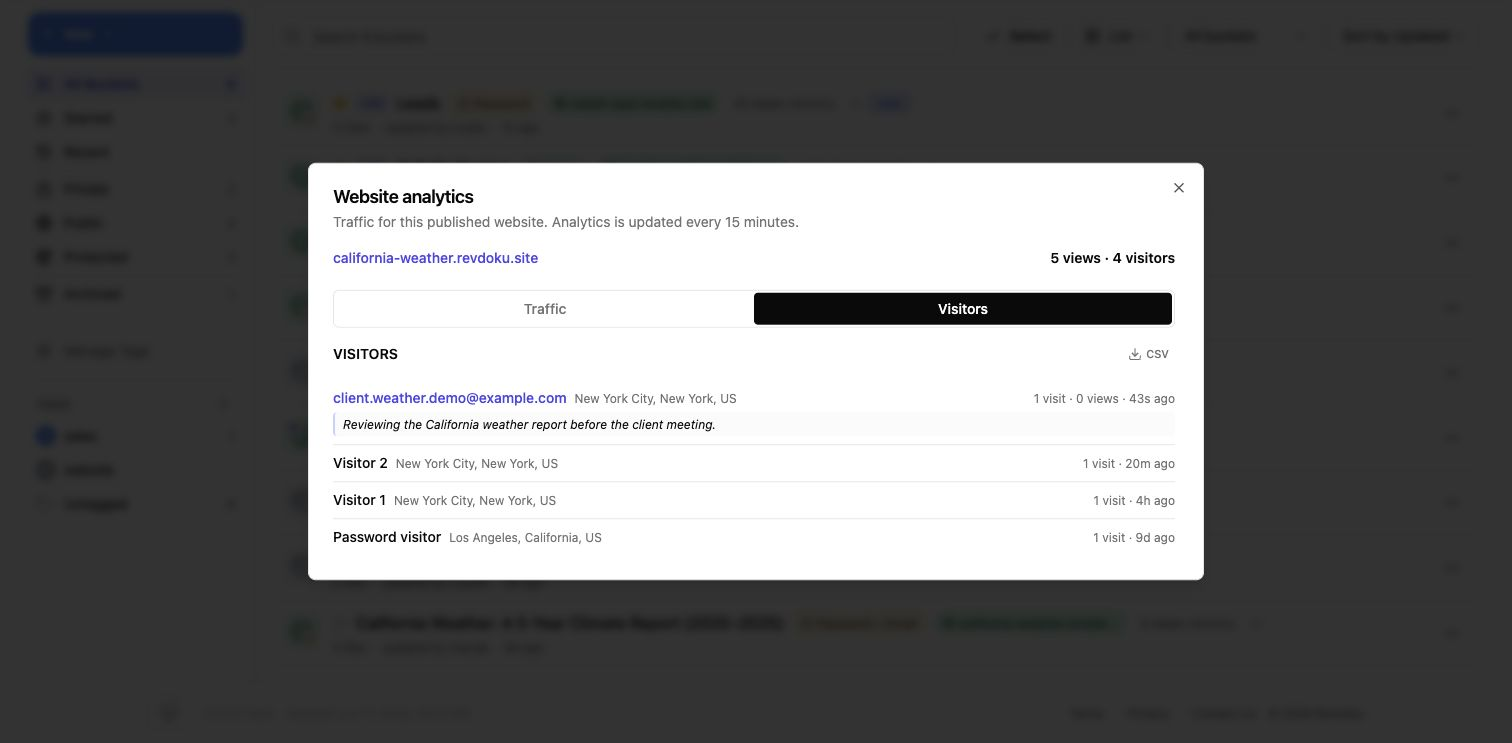
Use Require Email when you want to know which testers opened the game.
Require Email verifies an emailed one-time code without a shared site password. It requires a paid plan for a permanent website; Free accounts can try it in a temporary preview.
6. Update the same review URL
AI game development is iterative. The first version may need:
- Better controls.
- Smaller assets.
- A loading screen.
- More forgiving difficulty.
- Mobile layout fixes.
- Bug fixes.
- Accessibility improvements.
After each AI pass:
- Rebuild or update the static folder.
- Upload the changed files.
- Republish.
- Keep the same review link when possible.
- Add a short note to
README.md.
When to move to a full host
Move from Revdoku review publishing to a full app host when the game needs:
- Server-side multiplayer.
- User accounts.
- Persistent scores.
- Payments.
- A database.
- A backend API.
- App-store-style operations.
Until then, a protected static review link is usually faster.
Ask ChatGPT to check access before review
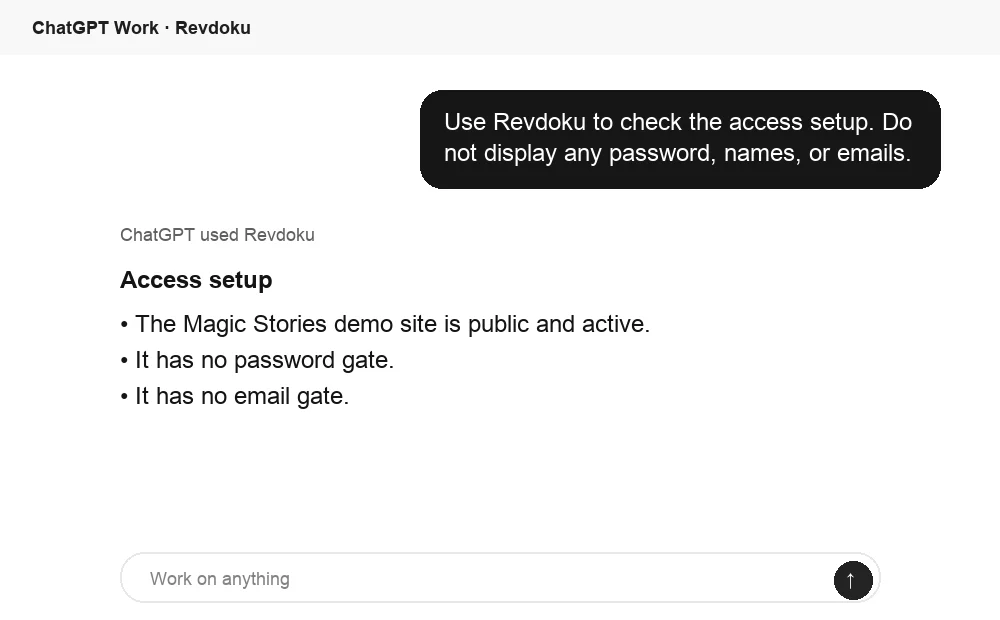
Before you share a review link, ChatGPT can ask Revdoku about the bucket access mode. Use this to confirm whether the site is public, password protected, or email gated.
AI can make the game. Revdoku can make it reviewable.
Publish the generated folder, protect the link, invite testers, track visits, and update the same packet as the game improves.
Revdoku workflow screenshots
Just ask to “publish to Revdoku” to publish your as a fast and secure website
from your Codex, Claude or another AI apppublish files or folders
Paste this into your AI app.
Install the Revdoku skill in your AI app.
npx skills add revdoku/revdoku --skill revdoku -gChoose your AI app to connect through MCP.
codex mcp add revdoku --url https://app.revdoku.com/mcp
codex mcp login revdoku
claude mcp add --transport http revdoku https://app.revdoku.com/mcp
claude mcp login revdoku
https://app.revdoku.com/mcpFree · Public or protected · Visitor analytics · Forms and email alerts Building websites for clients? Explore Revdoku for agencies