Use Case: Check an Ad Against Brand Guidelines
Table of Contents
- Step 1: Open the Envelopes inbox in Revdoku.
- Step 2: Paste the brand guide.
- Step 3: Generate the rules.
- Step 4: Review ad-v1.pdf.
- Step 5: Wait for the report to finalize.
- Step 6: Upload a new revision.
- Step 7: Re-review the new revision.
- Step 8: Wait for the v2 checks to run.
- Step 9: Read the issues on v2.
- Step 10: Filter to re-checks only.
- Step 11: Read the v2 report.
- Conclusion
- What You Learned
- Step 1: Open the Envelopes inbox in Revdoku.
- Step 2: Paste the brand guide.
- Step 3: Generate the rules.
- Step 4: Review ad-v1.pdf.
- Step 5: Wait for the report to finalize.
- Step 6: Upload a new revision.
- Step 7: Re-review the new revision.
- Step 8: Wait for the v2 checks to run.
- Step 9: Read the issues on v2.
- Step 10: Filter to re-checks only.
- Step 11: Read the v2 report.
- Conclusion
- What You Learned
Check an Ad Against Brand Guidelines
This use case demonstrates how to check an advertisement against brand guidelines. You will paste your brand guide into Revdoku to generate a compliance checklist, run Review on the ad, then upload a revised version and let Revdoku re-check the prior issues automatically.
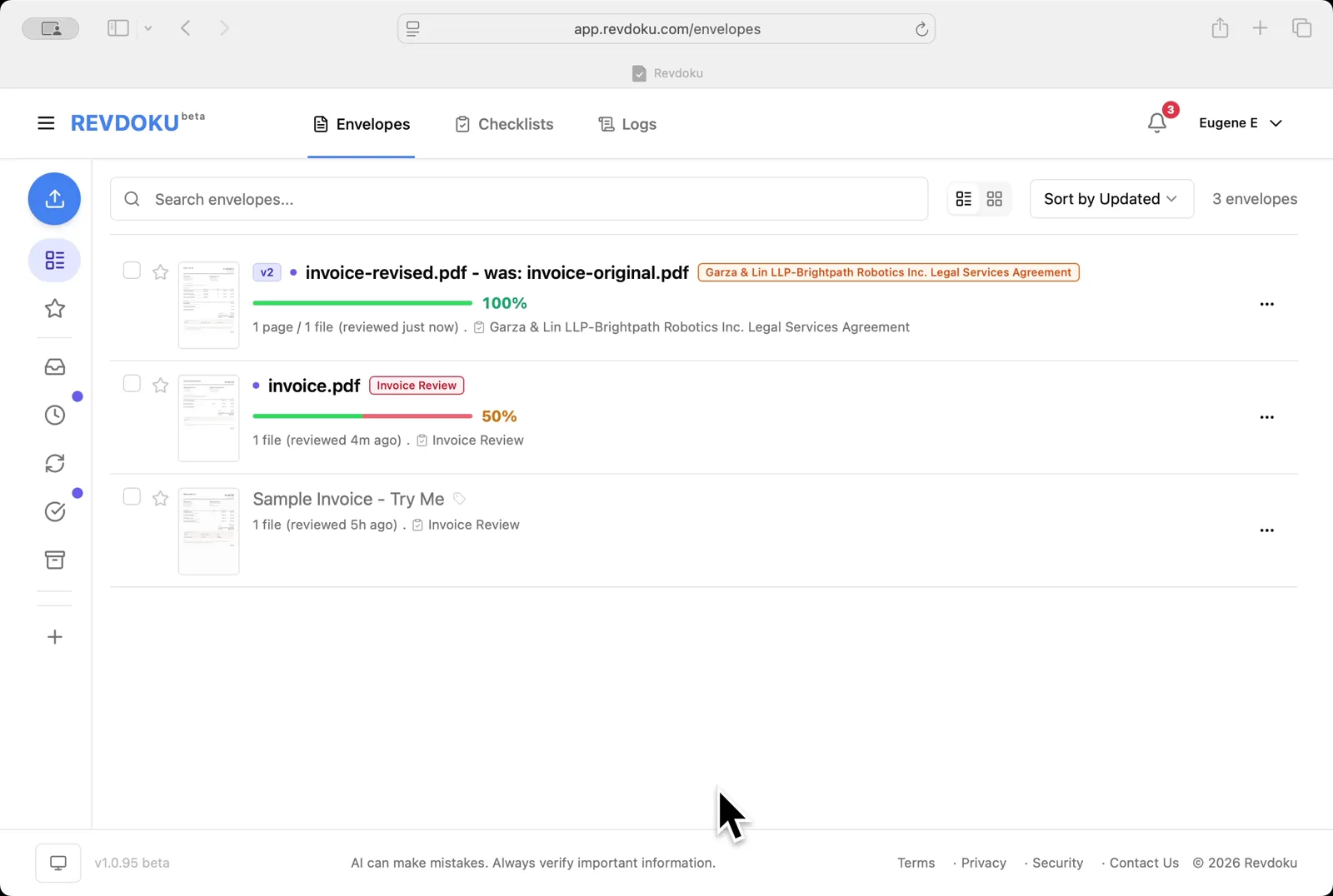
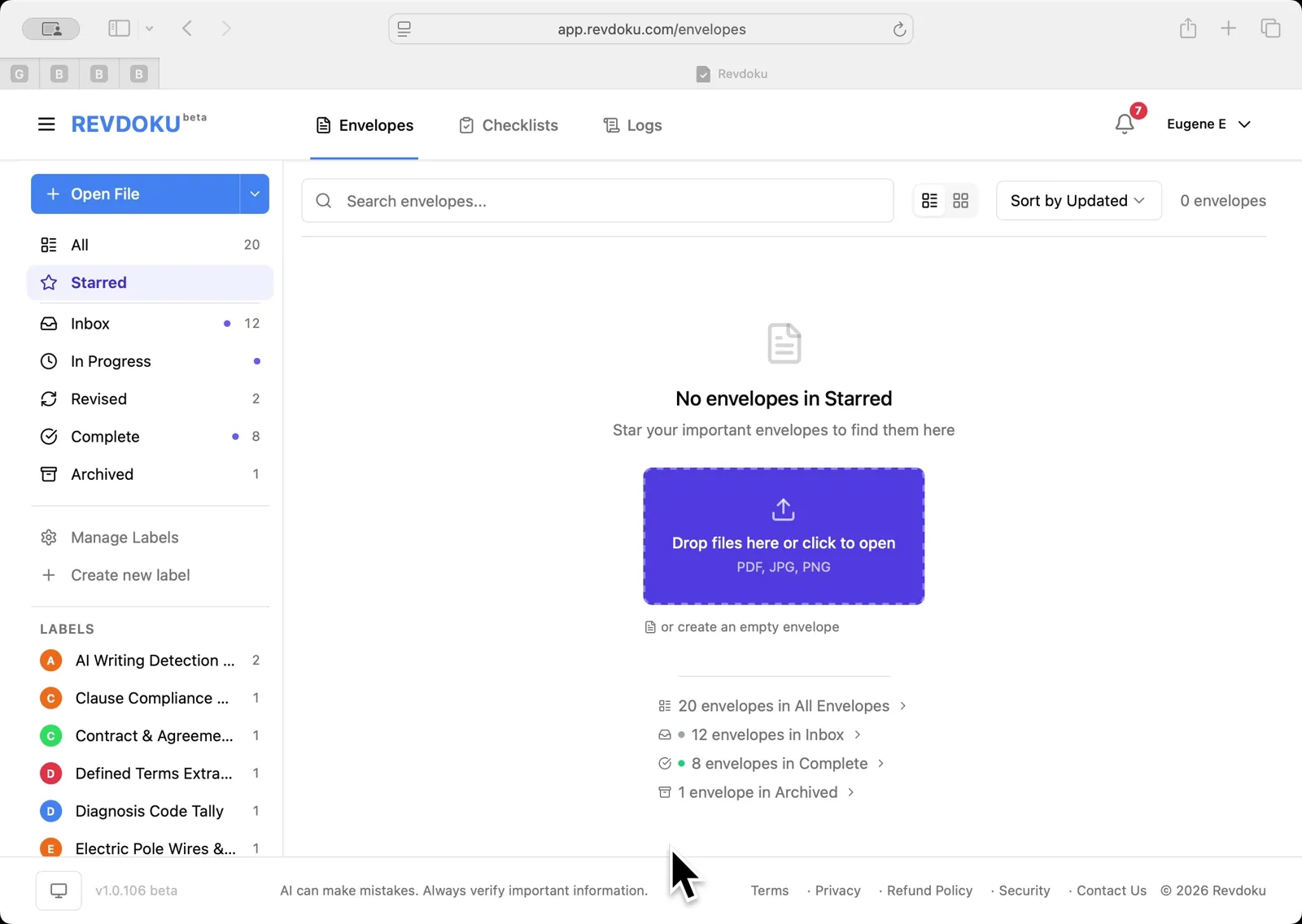
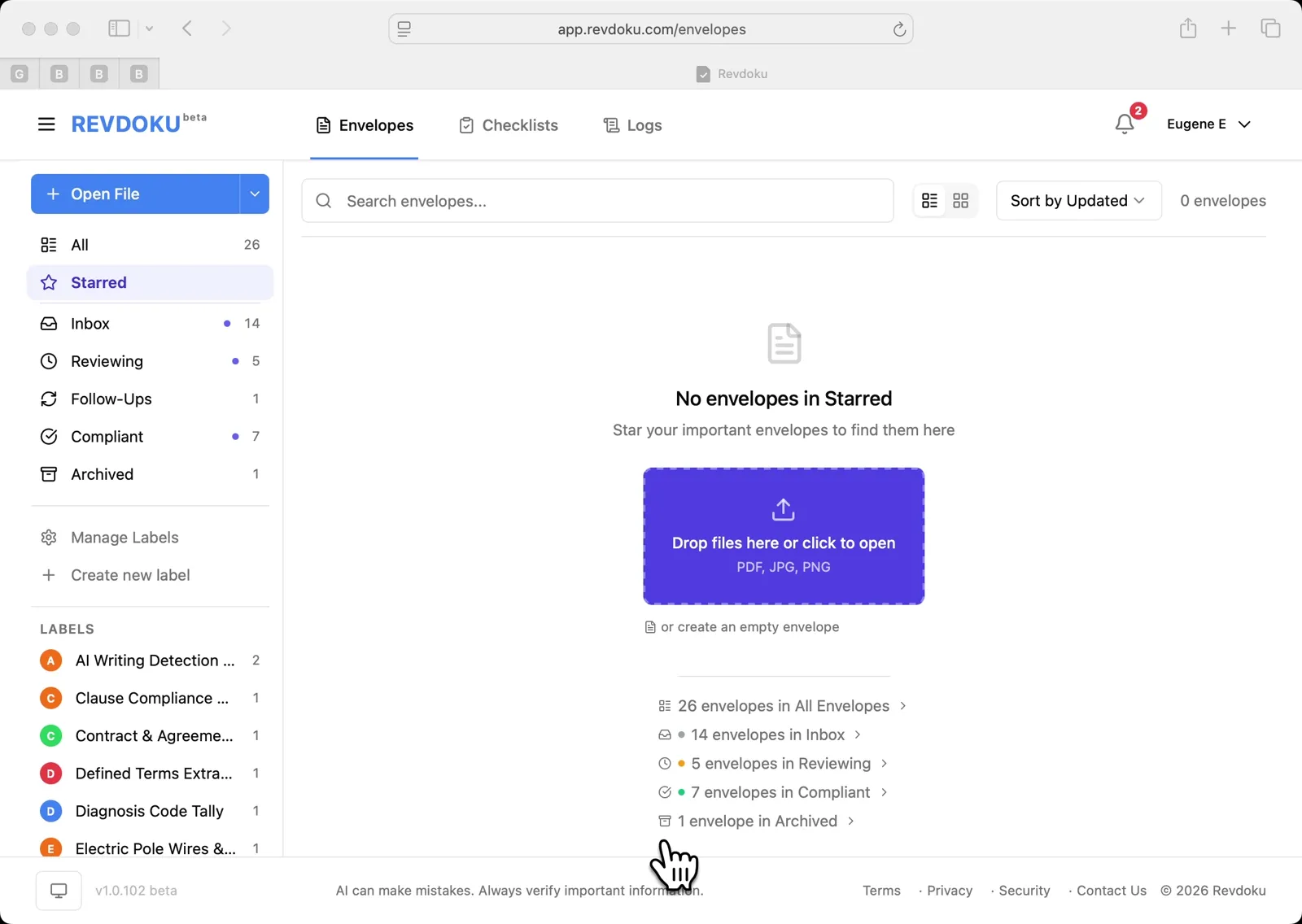
Step 1: Open the Envelopes inbox in Revdoku.
Open the Envelopes inbox in Revdoku. The inbox lists the documents you can review.
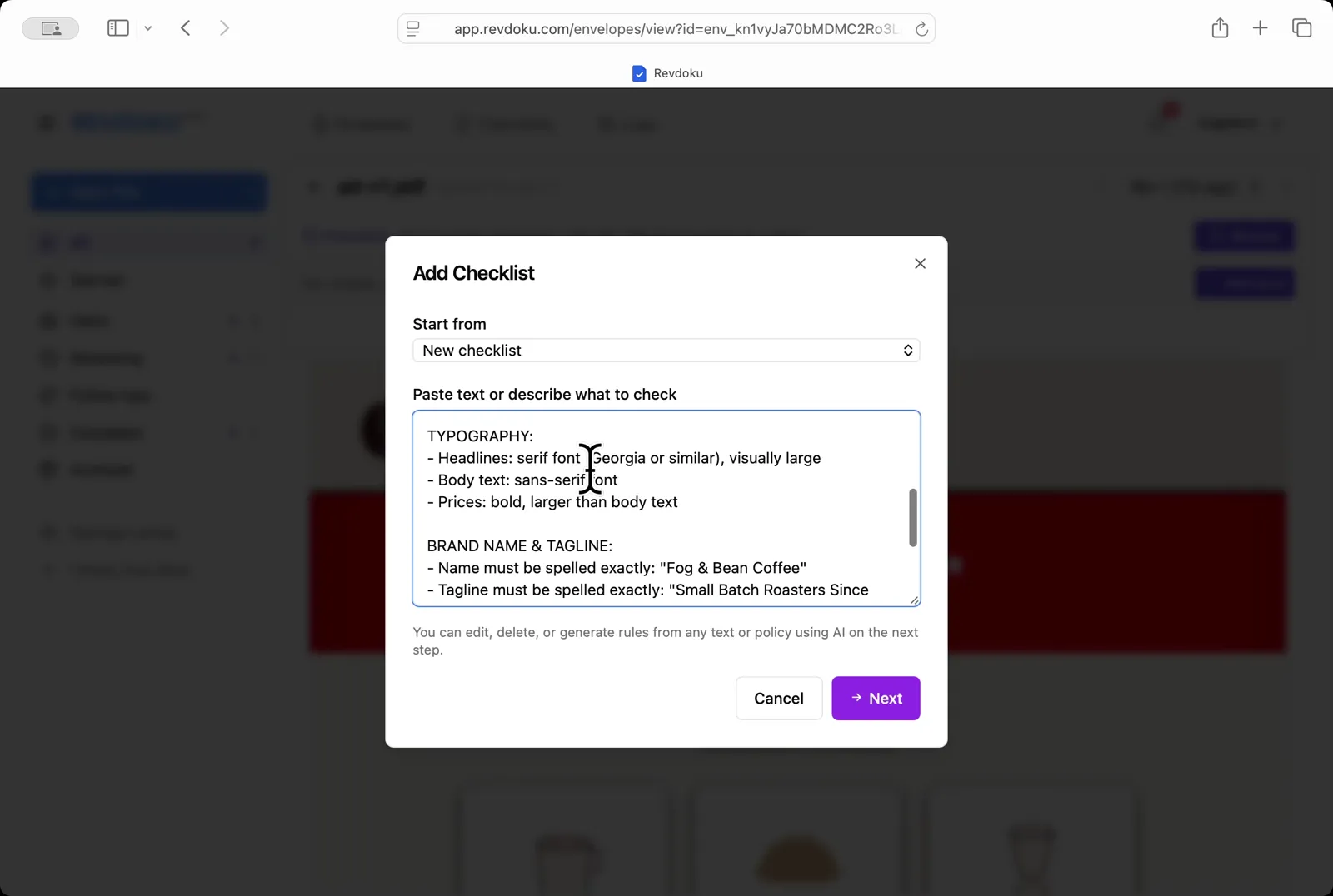
Step 2: Paste the brand guide.
Paste the brand guide. In the Add Checklist dialog, paste the typography, brand name, and tagline rules into the Paste text or describe what to check field.
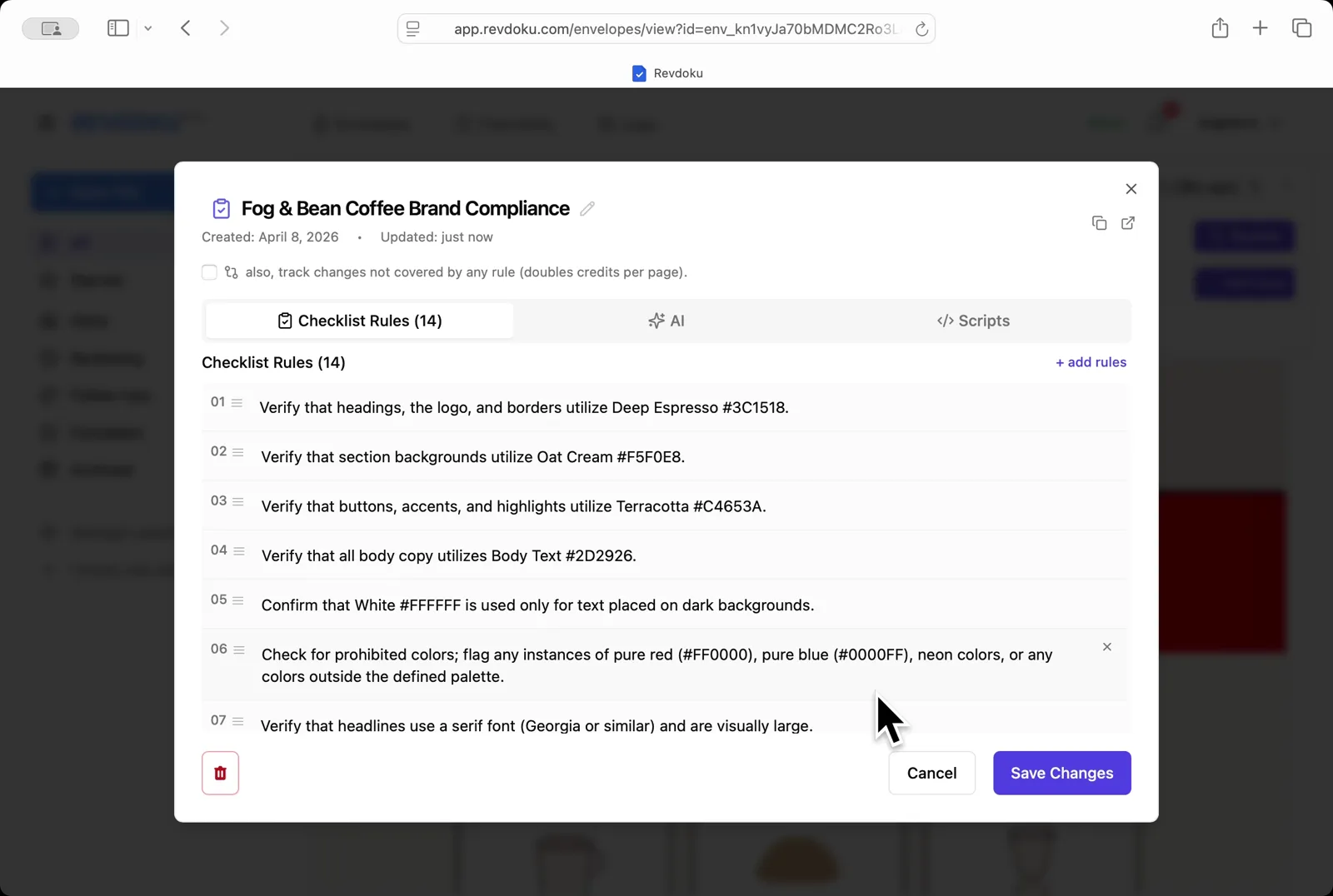
Step 3: Generate the rules.
Generate the rules. Revdoku turns the pasted brand guide into a 14-rule Fog & Bean Coffee Brand Compliance checklist. Each rule is editable.
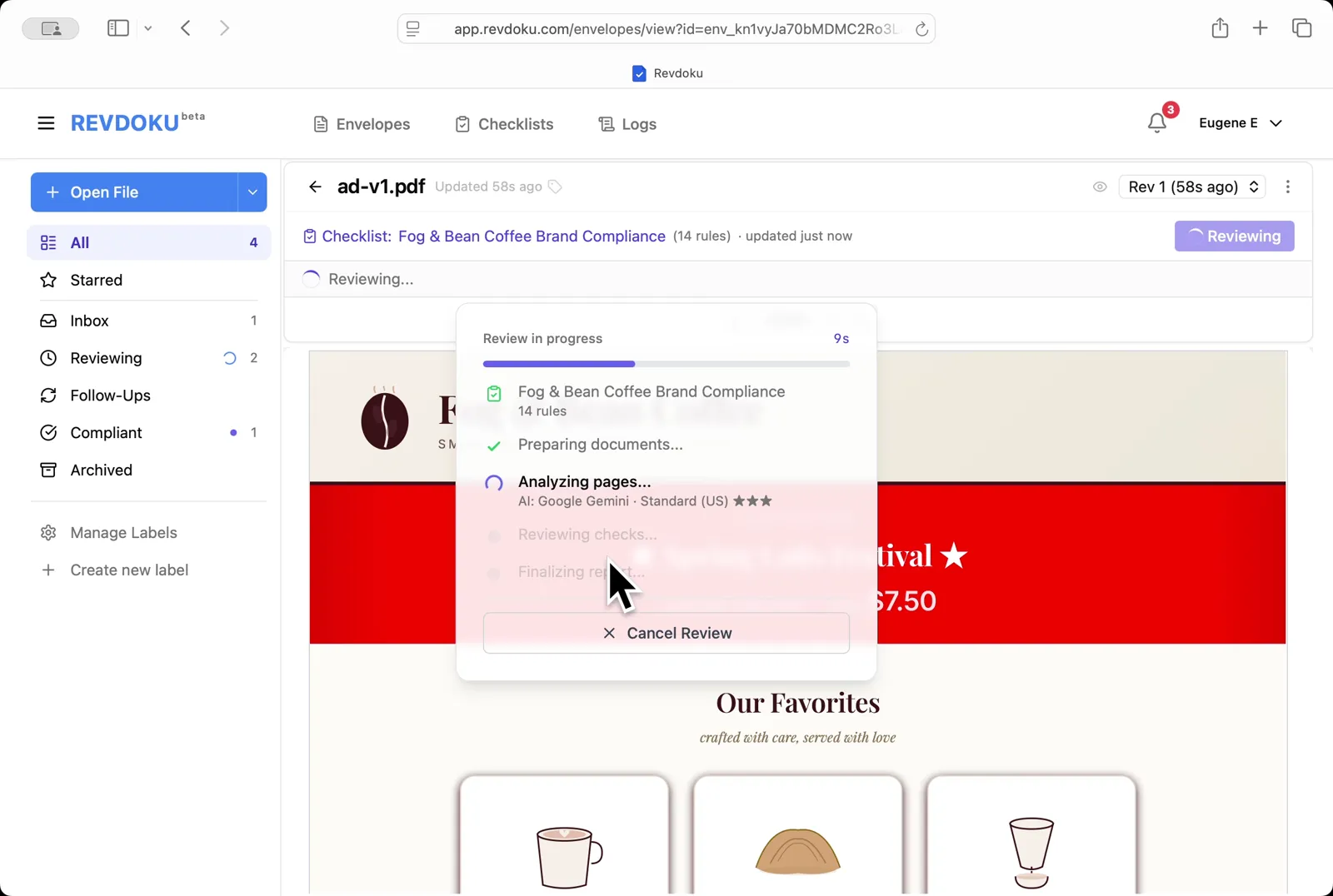
Step 4: Review ad-v1.pdf.
Review ad-v1.pdf. Click Review and Revdoku analyzes the ad against the 14 rules with Google Gemini.
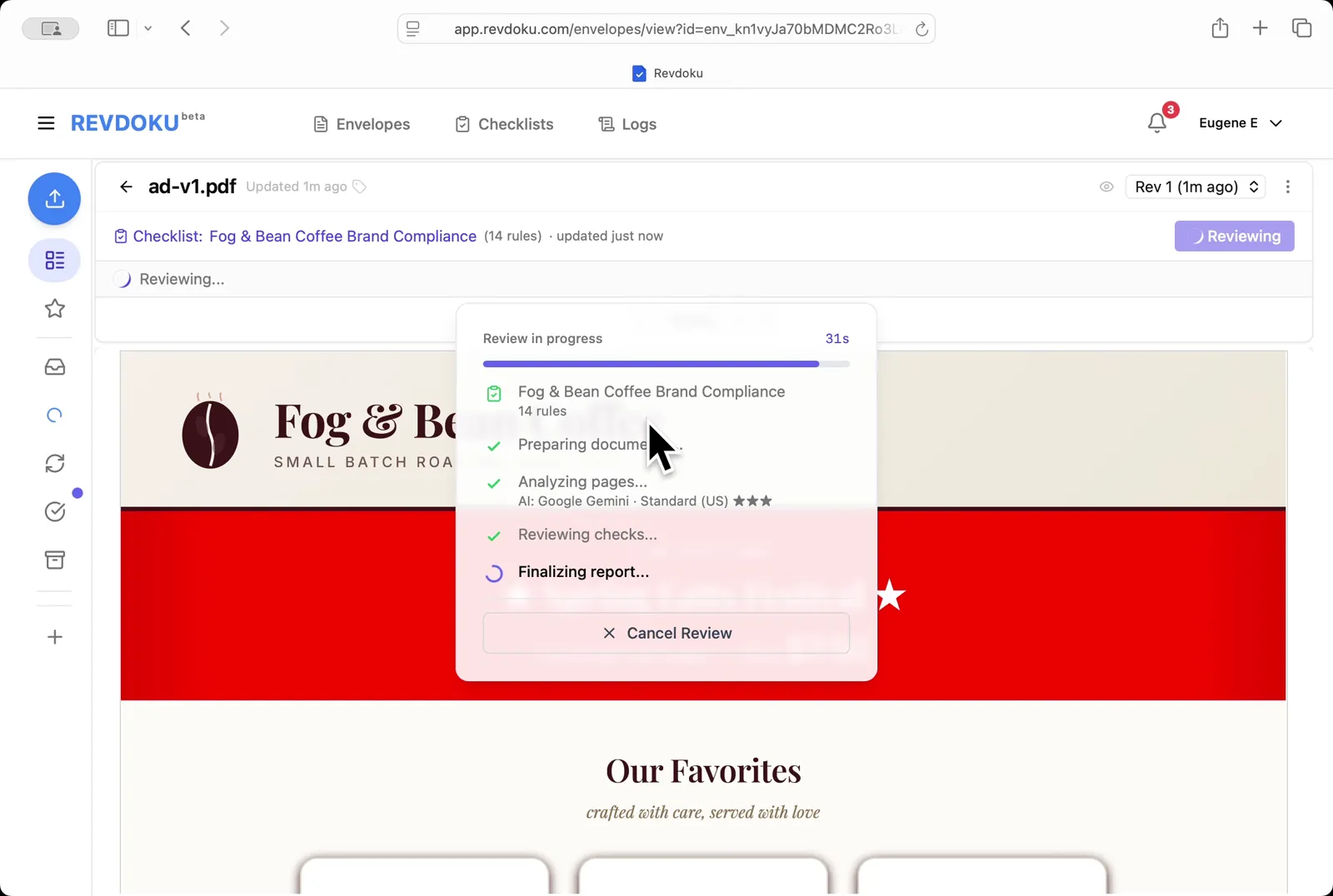
Step 5: Wait for the report to finalize.
Wait for the report to finalize. Revdoku finishes the checks and writes the report.
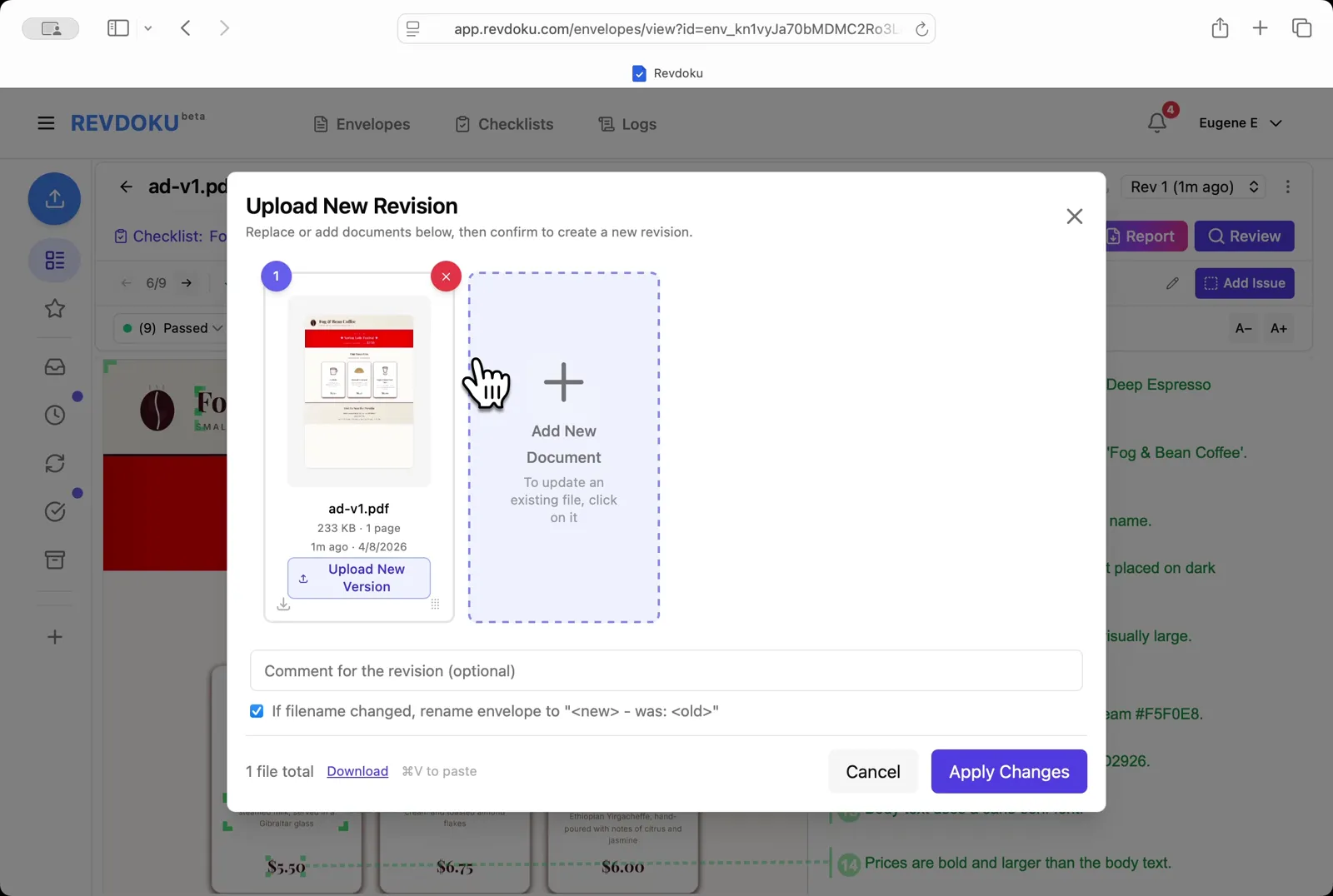
Step 6: Upload a new revision.
Upload a new revision. Click Upload New Version and drop ad-v2.pdf into the dialog to replace ad-v1.
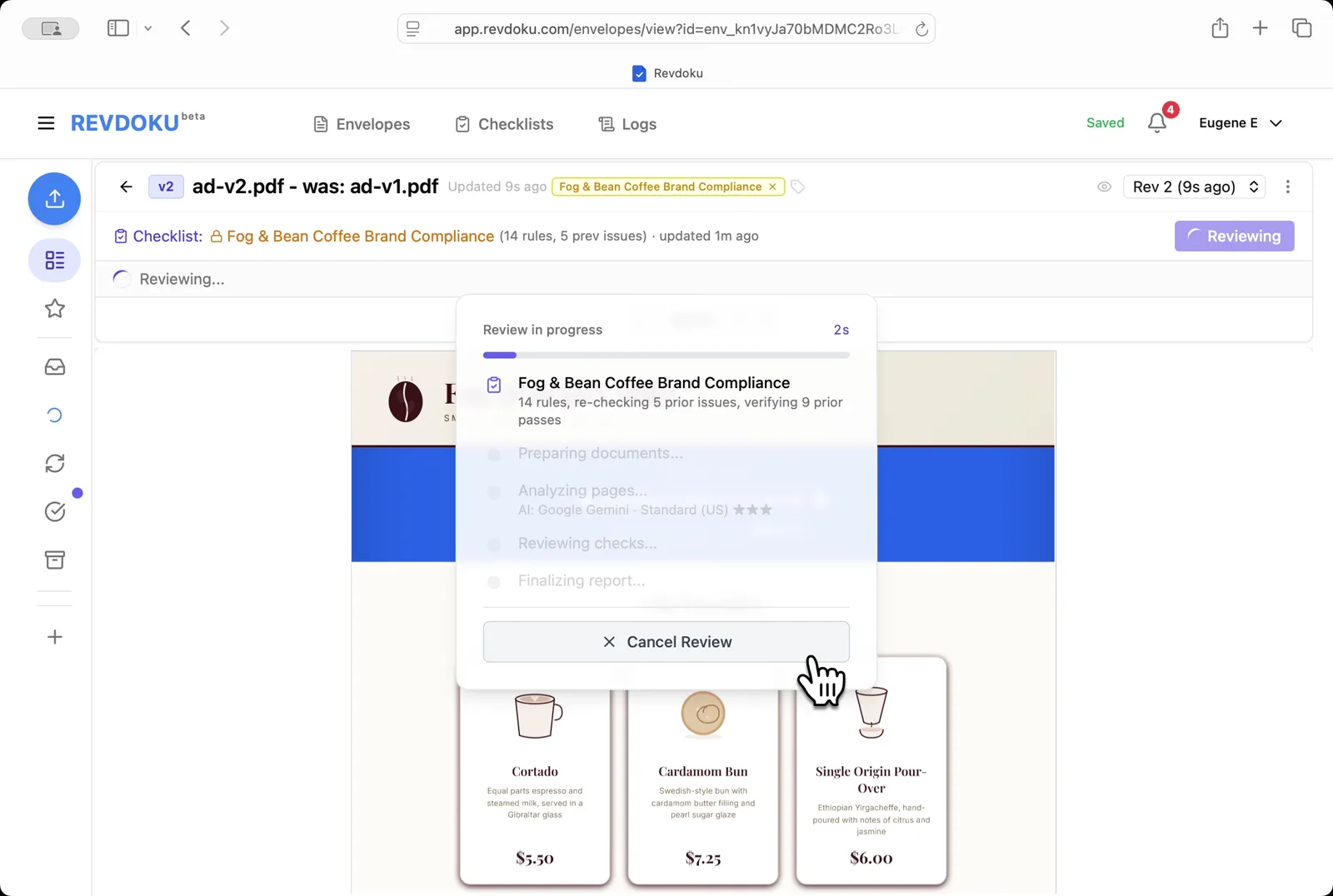
Step 7: Re-review the new revision.
Re-review the new revision. Revdoku starts a fresh review on ad-v2.pdf, re-checking the 5 prior issues and verifying the 9 prior passes.
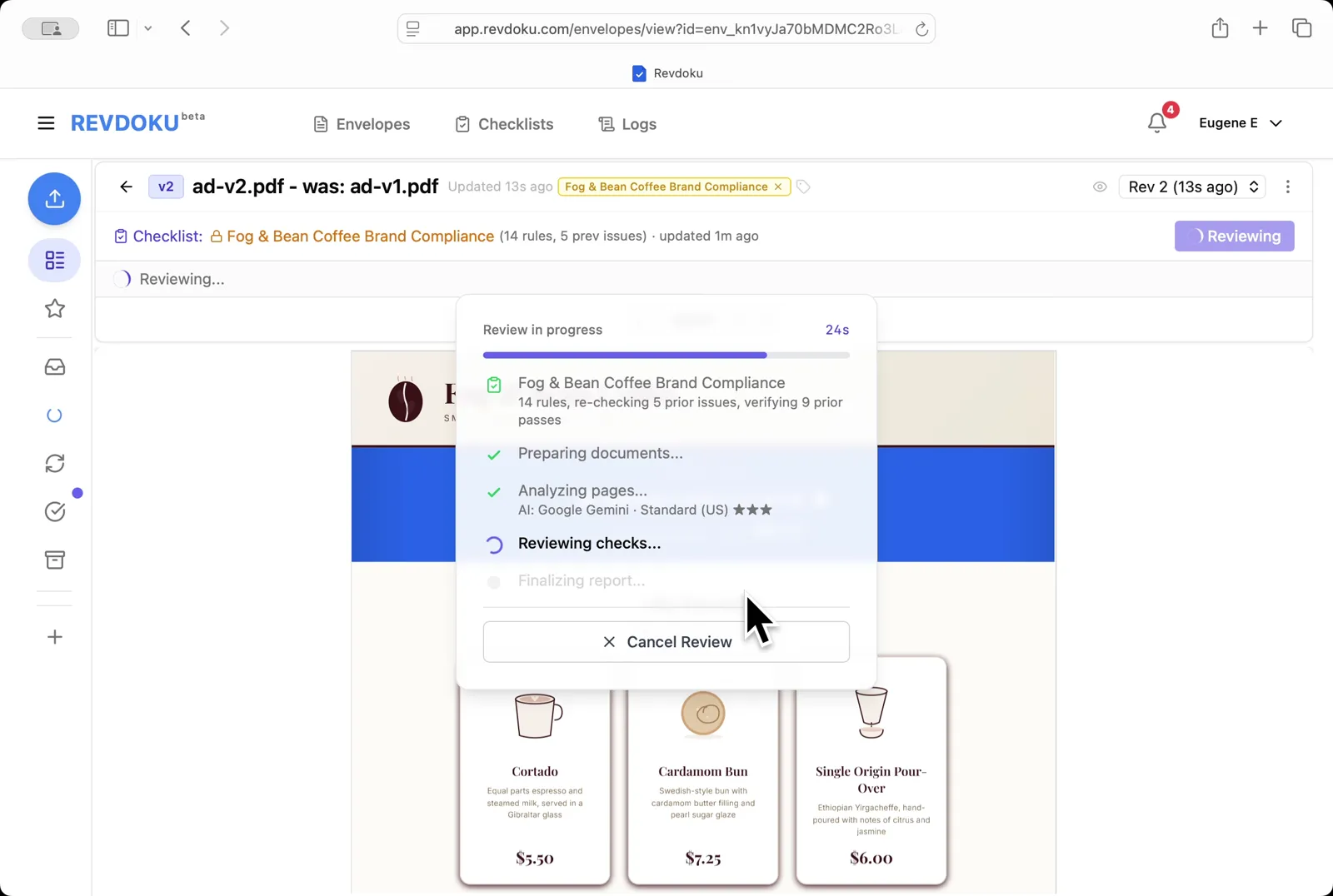
Step 8: Wait for the v2 checks to run.
Wait for the v2 checks to run. The Reviewing checks stage compares v2 against the same 14 rules.
Step 9: Read the issues on v2.
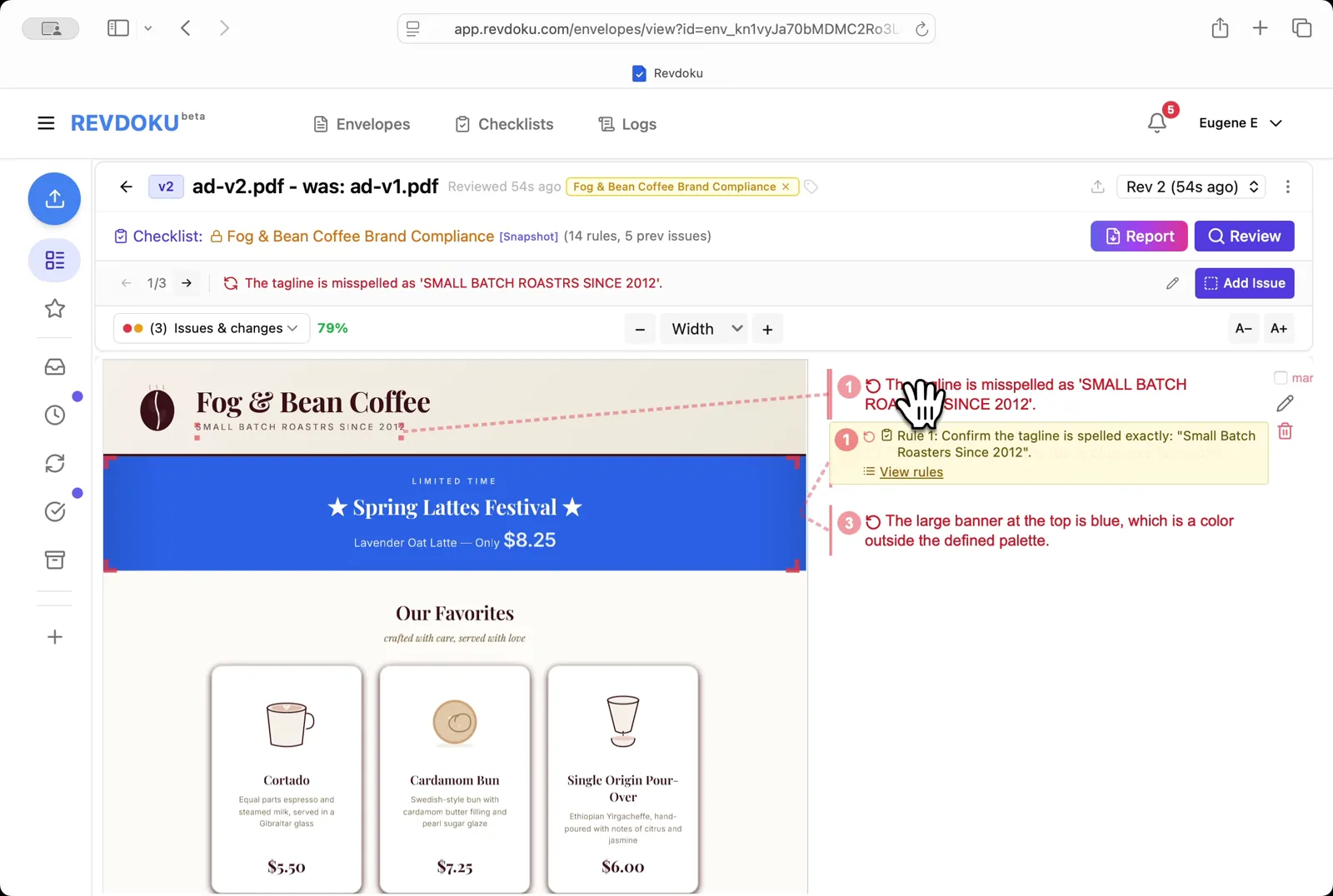
Read the issues on v2. The ad now shows three new issues, including a misspelled tagline (SMALL BATCH ROASTRS SINCE 2012) and a banner color outside the palette.
Step 10: Filter to re-checks only.
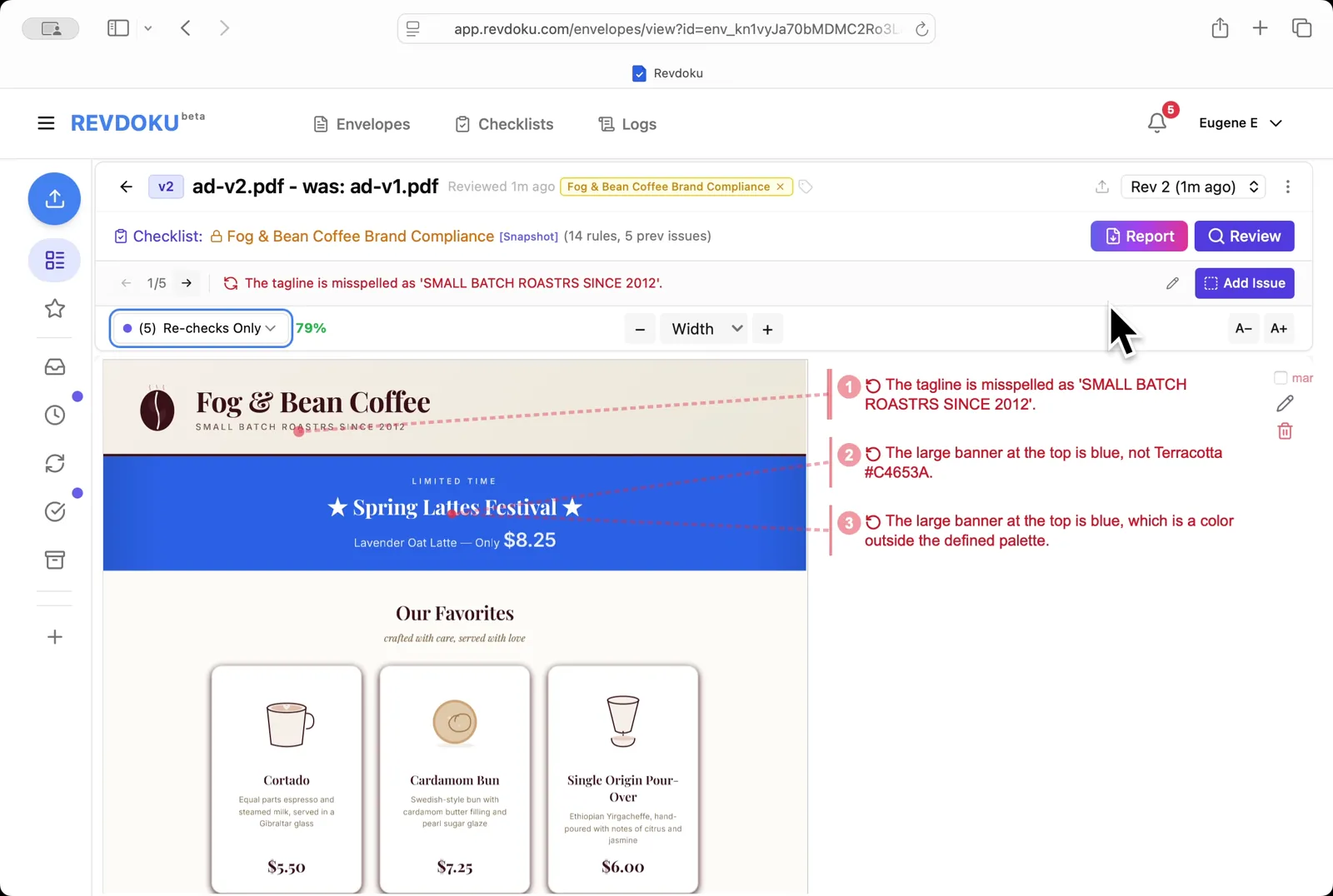
Filter to re-checks only. Pick Re-checks Only in the dropdown to see only the 5 checks that changed between v1 and v2.
Step 11: Read the v2 report.
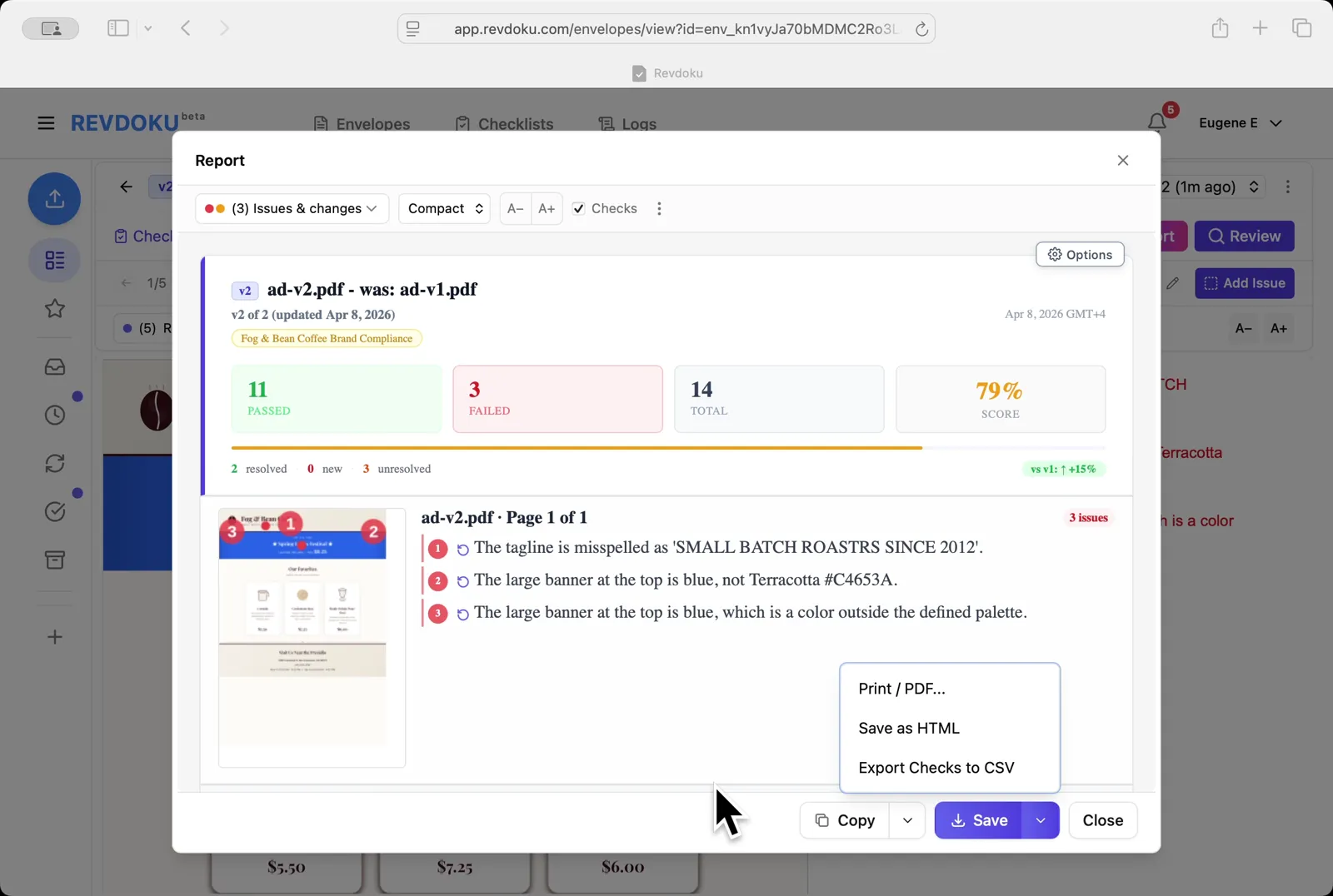
Read the v2 report. Revdoku scores ad-v2.pdf at 79% (11 passed, 3 failed, +15% vs v1) and lists 2 resolved and 3 unresolved findings.
Conclusion
In this tutorial it was demonstrated how to use Revdoku for checking an ad against brand guidelines. The following steps were shown:
- Open the Envelopes inbox in Revdoku
- Paste the brand guide
- Generate the rules
- Review ad-v1.pdf
- Wait for the report to finalize
- Upload a new revision
- Re-review the new revision
- Wait for the v2 checks to run
- Read the issues on v2
- Filter to re-checks only
- Read the v2 report
What You Learned
This case showed how Revdoku can take a document, apply a structured checklist, and surface specific findings — all in under a minute. No manual line-by-line reading required.
Disclosure: Sample documents in this use case were generated using AI and contain intentional errors for demonstration purposes. All names, companies, and details are fictional.
Related Articles
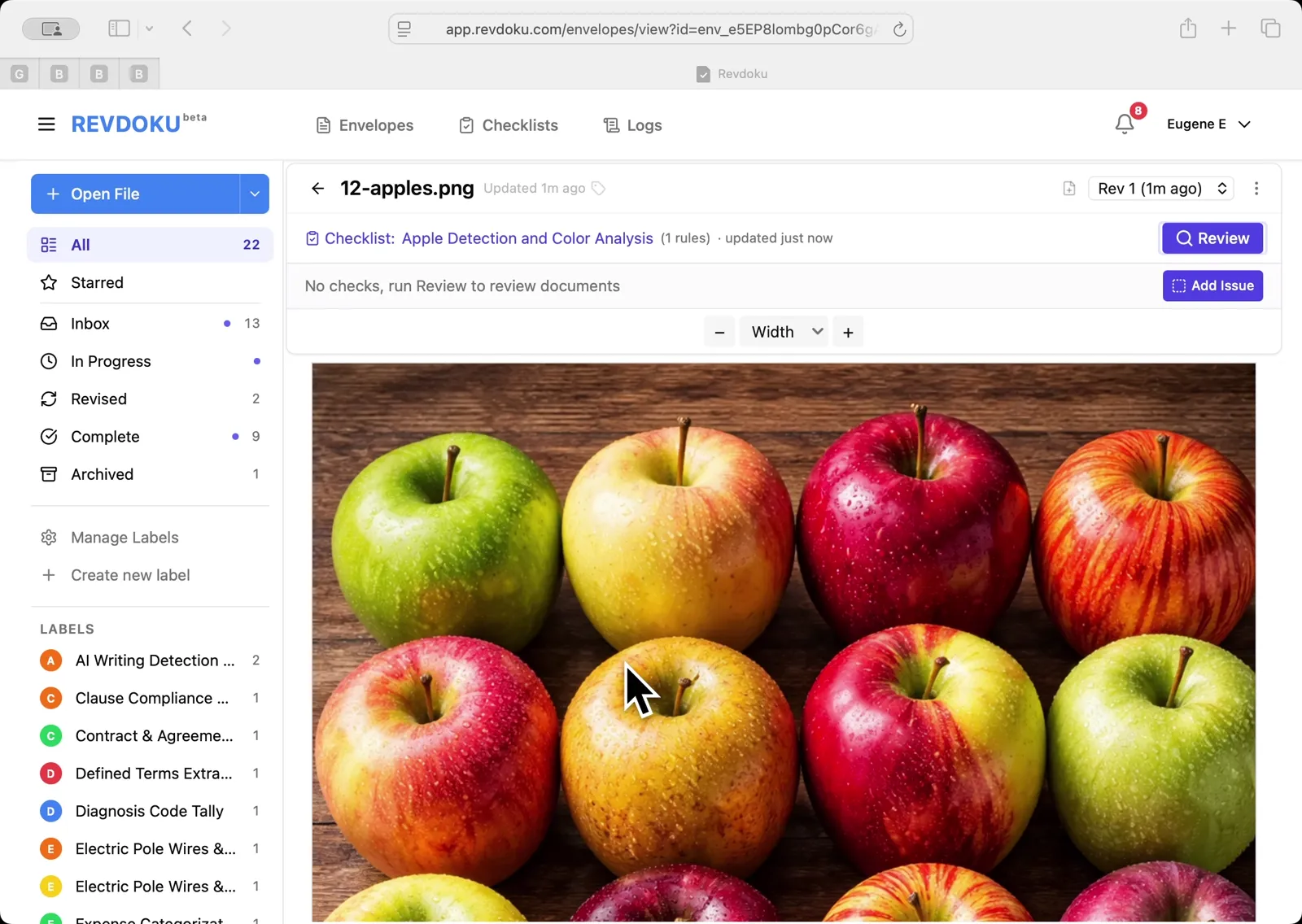
Count Unique Apple Colors in a Photo with Revdoku
Detects all 12 apples in a top-down photo and tags each by dominant color: 4 variegated, 3 red, 3 yellow, 2 green. Group-and-sum script totals 12.
Count Candies by Color in a Photo with Revdoku
Counts a pile of M&M-style candies by color: 7 checks pass at 100%, totaling 113 candies. Group-and-sum script aggregates per-color counts.
Audit a Shareholder Letter for Disclosure Completeness with Revdoku
Generate a document-quality checklist from a single-line prompt with Revdoku, run it against a Letter to Shareholders from a public company, and read the per-rule pass/fail audit report.