
Count Wires and Insulators on Utility Poles with Revdoku
Count Wires and Insulators on Utility Poles with Revdoku
Step 1: Open Revdoku and drop the pole photos.
Start at the Revdoku Starred view with no envelopes open. Drag the four utility-pole inspection photos — pole-1.jpg through pole-4.jpg — into the purple Drop files here zone in the middle of the page.
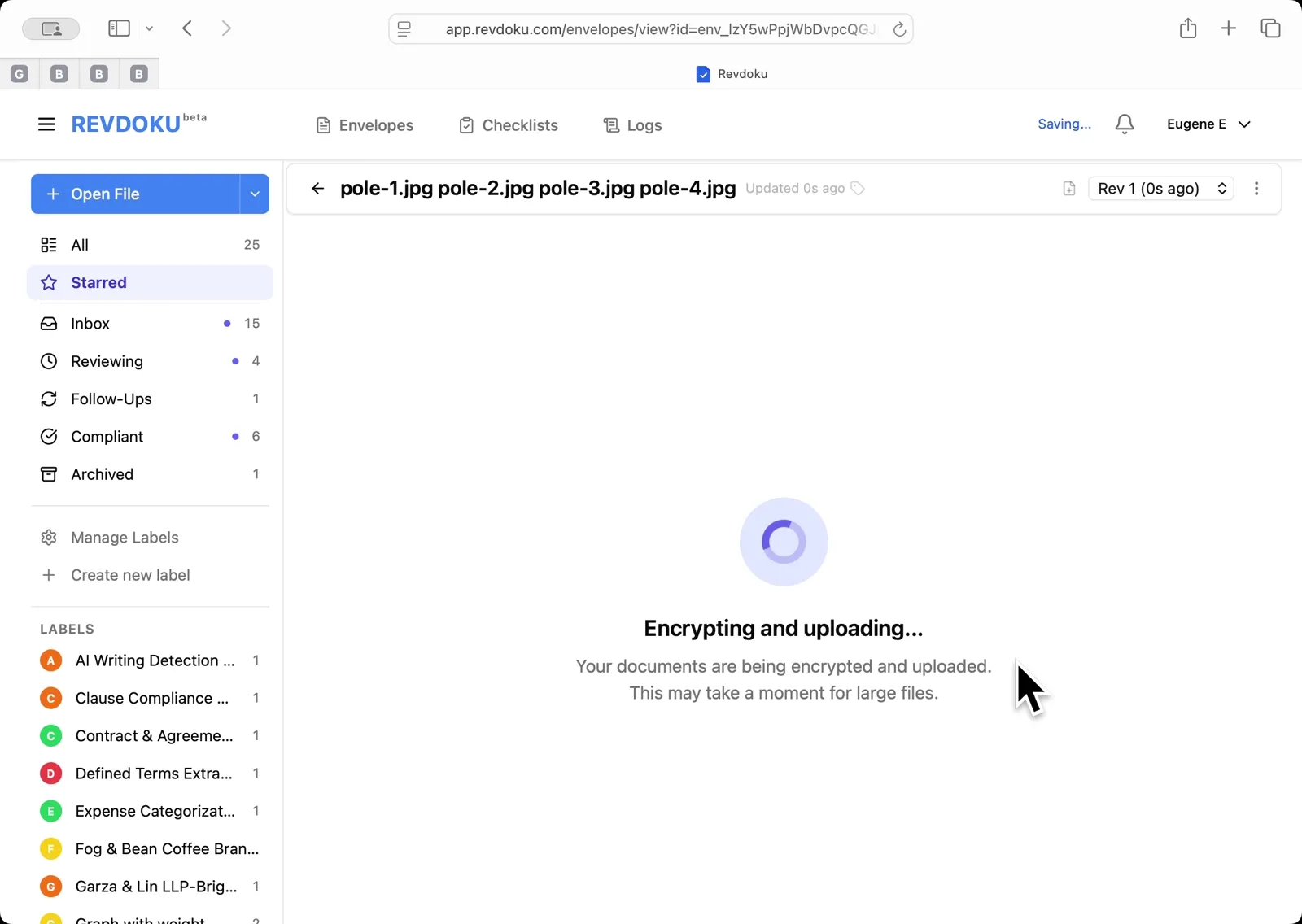
Step 2: Wait for encryption and upload.
Revdoku encrypts the files client-side and uploads them. The spinner reads Encrypting and uploading — this may take a moment for large image batches.
Step 3: Open the Review dialog.
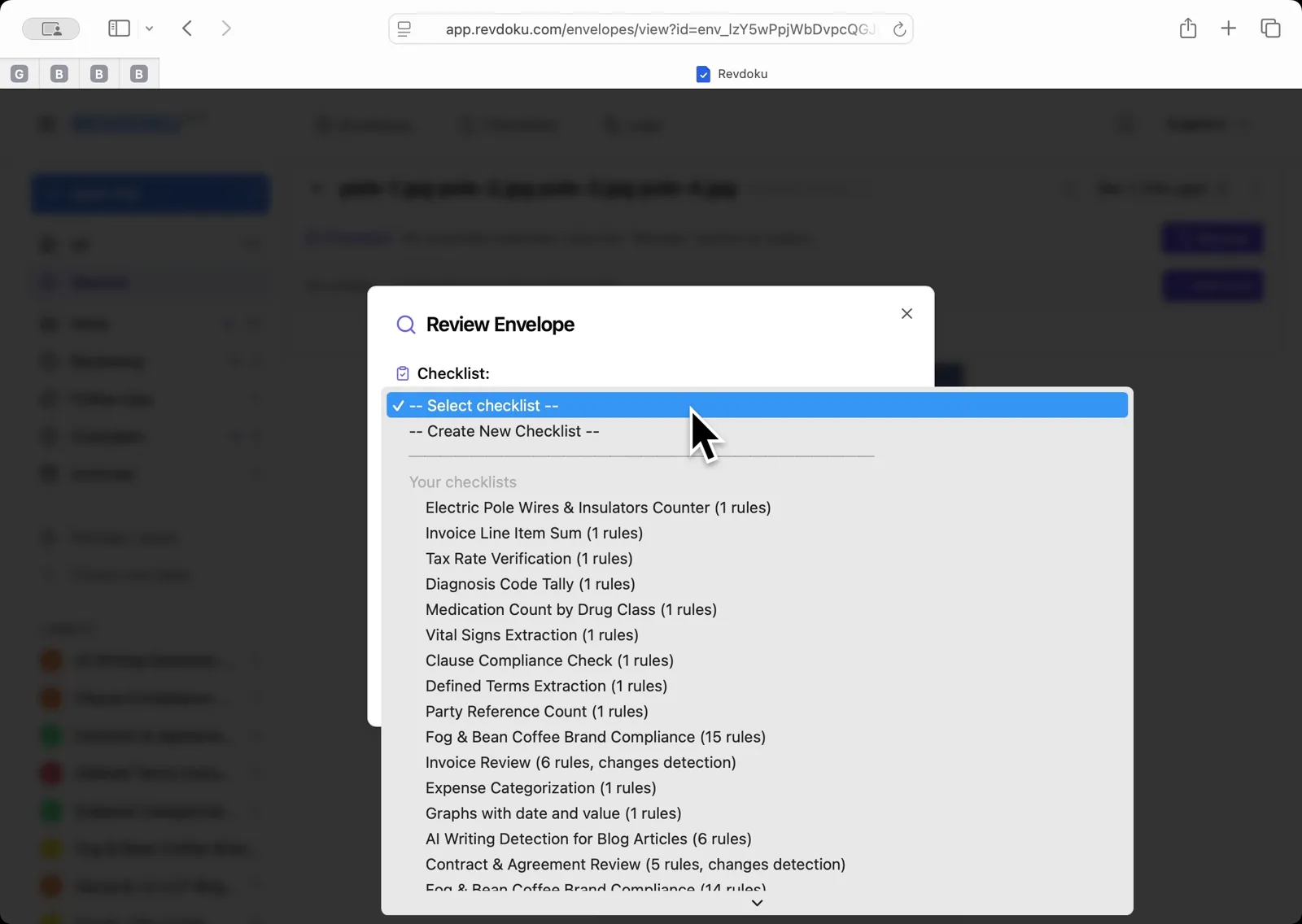
With all four pole photos loaded as pages of one envelope, click Review. In the Checklist dropdown, pick Electric Pole Wires and Insulators Counter.
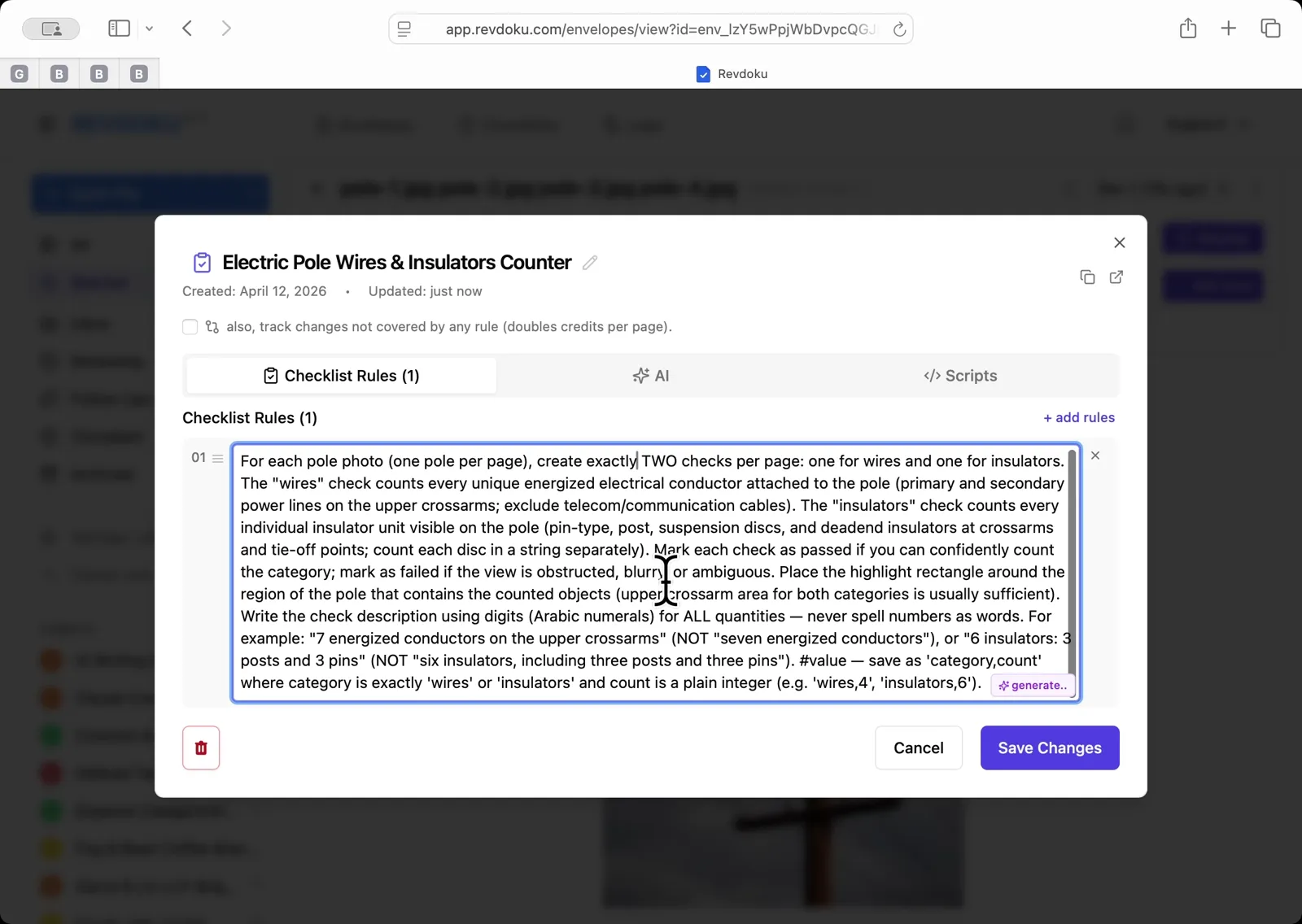
Step 4: Write the counting rule.
In the checklist editor, enter the rule that tells Revdoku to create two checks per page — one for energized conductors on the upper crossarms (excluding telecom cables) and one for insulator units — and to save the count in the check value field as category,count. Click Save Changes.
Step 5: Run the review.
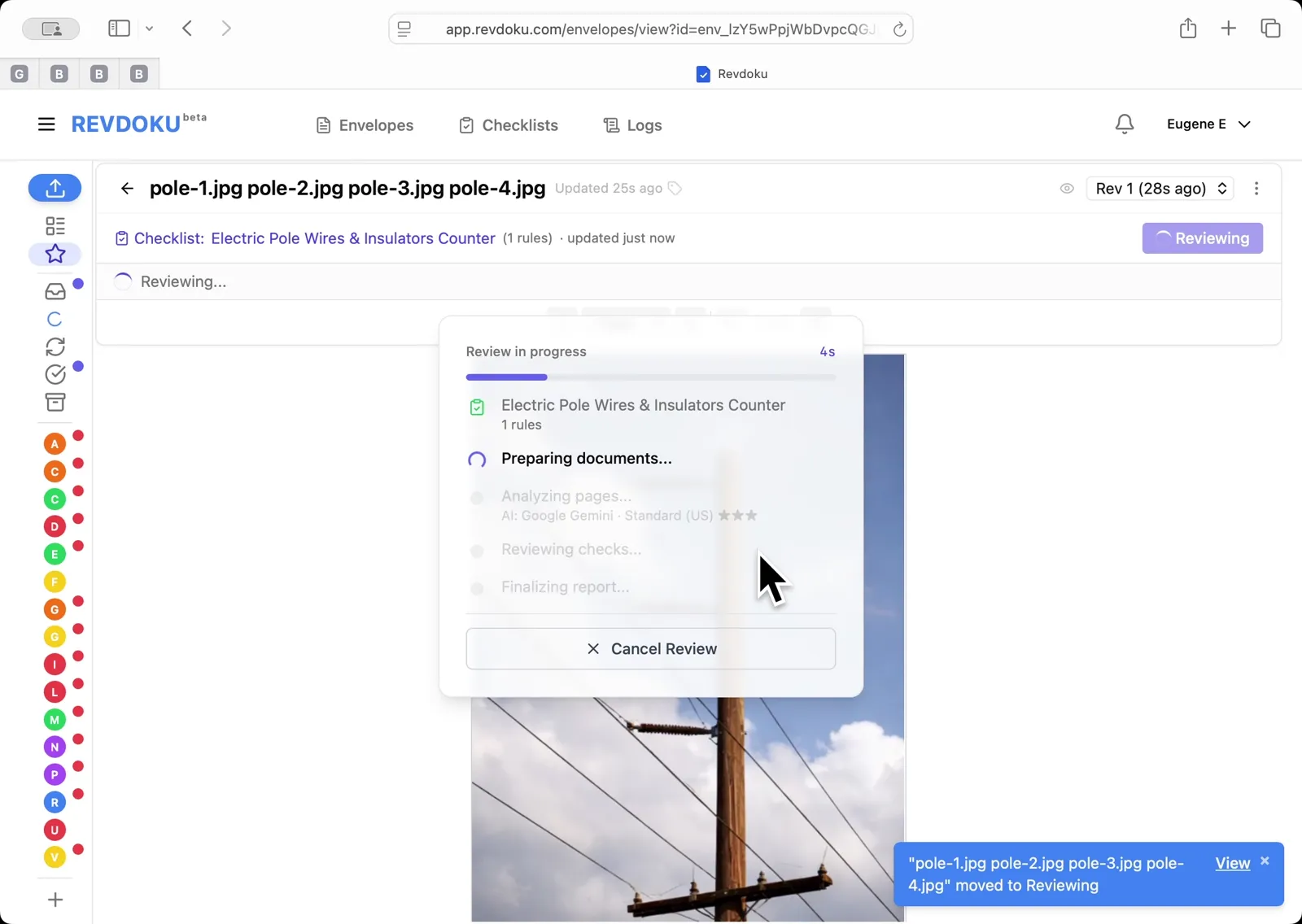
Back in the Review Envelope dialog, click Run Review. Revdoku batches the four pages into two batches and walks through Preparing, Analyzing, Reviewing, and Finalizing.
Step 6: Read the per-pole counts.
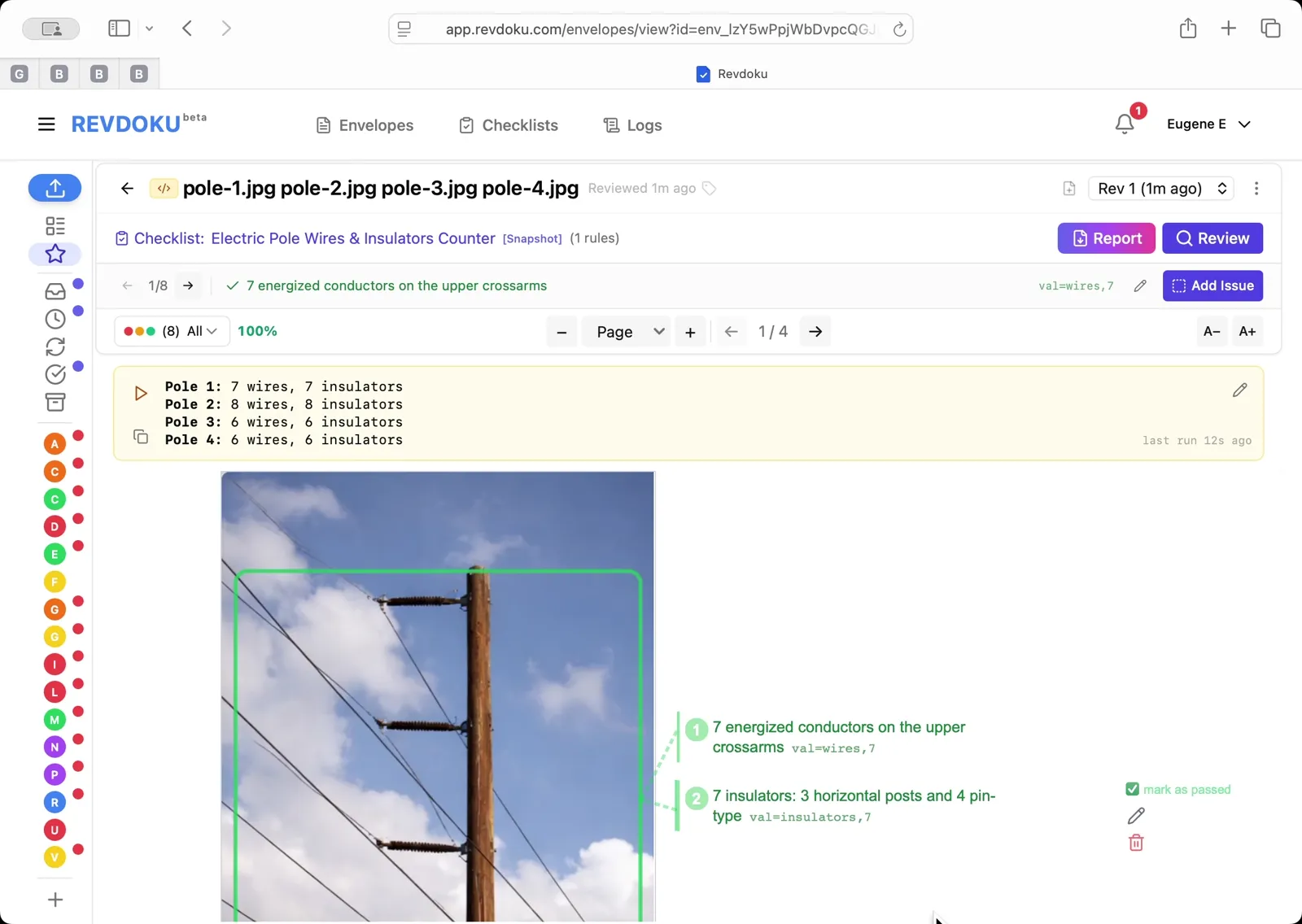
The result panel reports Pole 1: 7 wires, 7 insulators; Pole 2: 8 wires, 8 insulators; Pole 3: 6 wires, 6 insulators; Pole 4: 6 wires, 6 insulators. Each count is mapped back to the photo with a green highlight region around the counted objects.
What You Learned
This case showed how Revdoku can take a document, apply a structured checklist, and surface specific findings — all in under a minute. No manual line-by-line reading required.
Disclosure: Sample documents in this use case were generated using AI and contain intentional errors for demonstration purposes. All names, companies, and details are fictional.
Related Articles

Count Unique Apple Colors in a Photo with Revdoku
Detects all 12 apples in a top-down photo and tags each by dominant color: 4 variegated, 3 red, 3 yellow, 2 green. Group-and-sum script totals 12.

Count Candies by Color in a Photo with Revdoku
Counts a pile of M&M-style candies by color: 7 checks pass at 100%, totaling 113 candies. Group-and-sum script aggregates per-color counts.

Audit a Shareholder Letter for Disclosure Completeness with Revdoku
Generate a document-quality checklist from a single-line prompt with Revdoku, run it against a Letter to Shareholders from a public company, and read the per-rule pass/fail audit report.