Contract Defined Terms Extraction Checklist
What This Checklist Does
Long contracts define dozens of capitalized terms — “Authorized Users,” “Confidential Information,” “License Term” — scattered across definitions sections and inline throughout the document. Missing or poorly defined terms create ambiguity and risk.
This checklist instructs the AI to find every formally defined term in a contract, verify each definition is clear and unambiguous, and flag circular or incomplete definitions. The result is an alphabetical catalog of all defined terms.
Useful for contract review, due diligence, and building a terms glossary for complex agreements.
Defined Terms Extraction
Copy this checklist and paste it into Revdoku’s Generate Checklist to run it on your document:
Defined Terms Extraction

You are a legal analyst reviewing a contract to catalog all formally defined terms. A defined term is a capitalized term that is given an explicit definition in the agreement — typically in a definitions section or introduced inline with quotation marks and a definition (e.g. "Software" means...). Your job is to locate each defined term so a downstream script can list them alphabetically with page references.

- For each defined term in the agreement, create a separate check. A term counts as "defined" only if it is explicitly given a meaning in the document (e.g. '"Authorized Users" means employees...' or a dedicated definitions section entry). Do NOT include terms that are merely capitalized for stylistic reasons without an explicit definition. Mark as passed if the defined term has a clear, unambiguous definition. Mark as failed if the definition is circular, incomplete, or references undefined terms. #value — save as the defined term exactly as it appears in the document, without quotes (e.g. 'Authorized Users', 'Confidential Information', 'Software', 'License Term', 'SLA'). Place the highlight around the defined term and the first sentence of its definition.
Sample Input
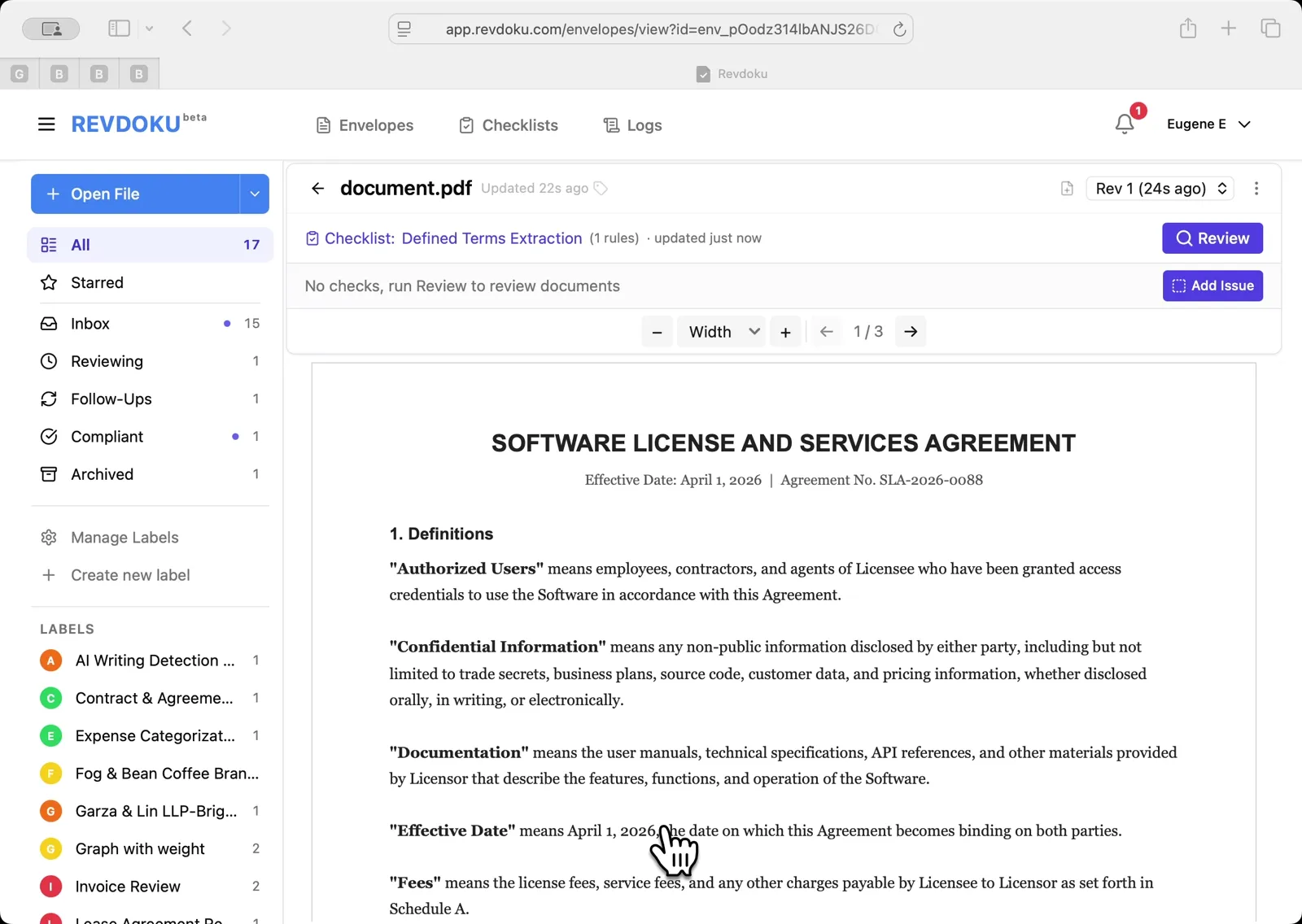
Here’s an example document you can use to try this checklist:
How to Use This Checklist
- Go to Revdoku and upload your document
- Click Generate Checklist and paste the checklist text above
- Run the review and get a detailed report with highlights on every finding
See this checklist in action: Extract Defined Terms
Find more review checklists at revdoku.com/checklists — each one is ready to copy and use in the app.